


Most construction finance teams know roughly what it costs to process an expense report. Fewer know what it costs when a receipt shows up three weeks late, charged to the wrong job, after that month's pay application has already gone to the owner.
The second number is the one that matters. It doesn't sit in one budget line. It's spread across the field, project managers, AP, project accounting, and billing, and each group carries a small piece of it without seeing the whole.
This post gives you a simple way to add it up for your own company. There are no industry averages standing in for your numbers. The formulas below run on data you already have.
Where the costs add up
The cost to process the report itself is the part everyone sees. A 2015 GBTA Foundation study found that an expense report for a one-night hotel stay cost $58 to process and took 20 minutes to complete, and that about one in five reports had errors that took another 18 minutes to fix. Those figures cover business travel across industries, and they stop at the report. In construction, most of the cost shows up after the report is filed.
Follow one field purchase from the supply house to the owner's invoice:
- A superintendent or foreman buys materials and keeps (or loses) the receipt.
- Someone charges it to a job, phase, and cost code.
- A project manager approves it, often from a jobsite.
- AP reimburses the employee or matches the charge to a card statement.
- Project accounting ties it to job cost and the general ledger.
- If the contract allows, billing adds it to the next pay application.
Every step where the data is late, missing, or wrong adds time and risk. The sections below get more space where the cost tends to be biggest.
No more chasing receipts
Superintendents and foremen don't work at desks. Receipts end up in truck cabs, jacket pockets, and toolboxes, and expense reports get pieced together right before they're due, from whatever made it back to the office.
The delay matters on its own: the charge hits the card or bank account before it shows up in your job cost report. Lost proof matters more. Weeks later, the employee may not remember which job a supply-house receipt was for, and the receipt may be gone. That turns into missing-receipt forms, follow-up emails, and AP time spent chasing paper.
On cost-plus and guaranteed maximum price (GMP) jobs, the stakes go up. Owners on these contracts often have the right to audit reimbursable costs. A cost you can't back up is a cost you can't bill.
Expenses charged to the wrong job
This is where manual expense reports do the most damage, and it's the hardest damage to see.
Wrong codes happen for ordinary reasons. Employees work on several jobs in a week. Cost code lists are long, and phase codes add another layer. The person picking the code is often working from memory, days after the purchase, on a spreadsheet or paper form that doesn't check whether the job is open or the code is valid.
One wrong code touches more than you'd expect.
Job cost reports are off. One job looks over budget and another looks under. Project managers make forecasting and buyout decisions from bad numbers.
Your WIP schedule shifts. Many contractors measure how far along a job is by comparing cost spent to date against total estimated cost (the cost-to-cost method). If a cost lands on the wrong job, one project looks further along than it is and the other looks behind. That changes the over- and under-billing figures on both. One wrong receipt won't matter. A month of them across all your jobs can, and year-end review is a bad time to find out.
Fixing it takes real work. Someone has to spot the error, usually a PM asking why a charge is on their job. Then someone has to post a correcting entry. If the month is already closed, the fix lands in the wrong period, which leaves one more variance to explain.
So the cost of a coding error isn't the few seconds it took to pick the wrong code. It's the time to find it, the time to fix it, and the decisions made on bad data in between. Most teams have never counted how many correcting entries each month trace back to expense reports. That count is one of the most useful numbers in the calculator below.
Reports that bounce back
PMs approve expenses between site walks, owner meetings, and sub calls. When approvals run through email or paper, reports sit. When a report gets sent back for a missing receipt or a wrong code, it goes back to the field and starts over.
Each bounce costs the time of everyone who touches it. It also slows reimbursement for employees who often pay for materials out of their own pocket.
Closing the books and missed billing
Every earlier problem piles up when it's time to close the books. Project accountants match card statements to receipts, receipts to job cost, and job cost to the general ledger. Every missing receipt and coding question has to be settled before the books are right.
Then there's billing. On time-and-materials and cost-plus work, reimbursable expenses are revenue. Many contracts bill monthly against a pay application cutoff. An expense that isn't coded and approved by the cutoff slides to next month, which delays cash. An expense that never gets charged to a billable job never gets billed. Those dollars usually surface at job closeout, when it's too late to recover them.
Calculate your monthly cost
Pull your last three months of data and average them. Where you don't have a number, make a conservative estimate and note it, so you can swap in real data later.
What you'll need
| Number | Where to find it |
|---|---|
| Expense reports submitted per month | Expense or AP system |
| Minutes of finance time to process one report | AP estimate or a quick time study |
| Finance hourly cost (finance and AP staff, including benefits) | HR or payroll |
| Average hourly cost of everyone who handles a problem report (field, PM, AP) | HR or payroll |
| Share of reports that need at least one coding fix | Correcting entries traced to expense reports |
| Minutes to find and fix one coding error | Project accounting estimate |
| Share of reports sent back or flagged | Approval history |
| Total minutes, across everyone, to sort out one sent-back report | Estimate across roles |
| Expense lines per month that need receipt follow-up | AP follow-up log |
| Minutes to chase down one missing receipt | AP estimate |
| Hours per month matching expense and card data to job cost and the general ledger | Project accounting |
| Reimbursable dollars billed one or more months late | Billing review |
| Your annual cost of money (borrowing rate or cost of capital) | CFO or treasury |
| Average months of billing delay | Billing review |
| Reimbursable dollars never billed | Job closeout review |
The formulas
- Processing time = reports per month × minutes to process one ÷ 60 × finance hourly cost
- Coding fixes = reports per month × share needing a coding fix × minutes per fix ÷ 60 × finance hourly cost
- Sent-back reports = reports per month × share sent back × minutes to sort one out ÷ 60 × average hourly cost
- Chasing receipts = lines needing receipt follow-up × minutes per receipt ÷ 60 × average hourly cost
- Matching to the books = hours spent matching × finance hourly cost
- Late billing = dollars billed late × (annual cost of money ÷ 12) × months late
- Missed billing = dollars never billed
Your monthly cost of manual expense reporting = the total of all seven lines.
Worked example
The inputs below are made up to show the math. They aren't benchmarks, so don't compare your results to them.
| Line | Sample inputs | Monthly cost |
|---|---|---|
| Processing time | 400 reports, 15 min each, $45/hr | $4,500 |
| Coding fixes | 12% of reports, 20 min each, $45/hr | $720 |
| Sent-back reports | 8% of reports, 30 min each, $60/hr average | $960 |
| Chasing receipts | 150 lines, 10 min each, $60/hr average | $1,500 |
| Matching to the books | 24 hours, $45/hr | $1,080 |
| Late billing | $60,000 billed 1 month late, 8% cost of money | $400 |
| Missed billing | $1,500 never billed | $1,500 |
| Total | $10,660 |
In this example, processing the reports is less than half the total. Your mix will be different, and that's the point of running it: find your biggest line, because that's where fixing things pays off first. A contractor with a lot of cost-plus work may find missed billing is the biggest line. One with lots of small field purchases may find it's chasing receipts.
How to bring the cost down
Software won't fix a coding problem that starts with a messy cost code structure or an approval chain nobody has mapped out. When DATABASICS sets up expense reporting for a construction company, our Professional Services team works through those decisions with you first: how your jobs and cost codes are set up, who approves what, and which expenses get billed to the owner. We test it with you before your crews ever open the app.
From there, the day-to-day changes:
- Superintendents used to stuff receipts in the truck and rebuild their expenses weeks later. Now they snap the receipt in the DATABASICS mobile app at the register, and the merchant, date, and amount fill in on their own.
- Employees pick from their own open jobs and valid cost codes, down to phase and task, so a charge can't land on a closed job or a code that doesn't exist.
- Instead of waiting for a PM to get back to the trailer, each line goes to the PM for that job. If one report covers three jobs, each PM sees and approves only their own lines, right from their phone.
- Billable expenses are flagged when they're entered, so they reach your accounting system ready to bill instead of turning up at closeout.
- Home Depot purchases on a commercial or corporate account show up with the receipt, line items, and job number already attached.
If you're on Sage Intacct (including Sage Intacct Construction) or Sage 300 CRE, your jobs and cost codes show up in DATABASICS straight from your accounting system, and approved expenses land back in your books without anyone re-keying them. See how the Sage Intacct integration works.
Read more about construction job costing, expense allocation by project, and how DATABASICS handles timesheets and expense reports for construction. If a lot of your field spend runs through Lowe's and Home Depot, see how MEC General Contractors handled those purchases.
Get ready for 2027

Once you've run your numbers, see how other construction finance teams are cutting the cost of expense reports next year. Join our 2027 expense webinar.
Save your seat for the 2027 expense webinar on November 18th.
Want help with your own construction expenses sooner? Book a walkthrough with our team and we'll show you a Home Depot purchase going from the register to your books.

What manual expense reporting costs construction teams
Read Now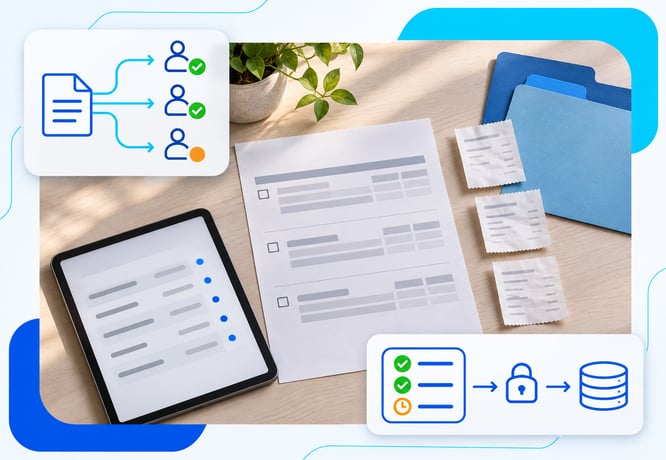
Best expense software for complex approval workflows (2026)
Read Now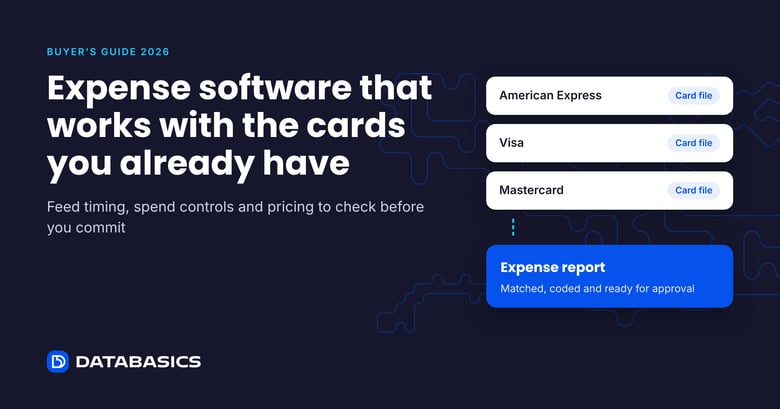
Expense software that works with your existing cards (2026)
Read Now
There’s a New Chief at Work: How AI Changes Compliance
Read Now
Best expense management software for construction field crews (2026)
Read Now
Timesheets and Expense Reporting Software: The Top Questions We Hear From Buyers
Read Now