

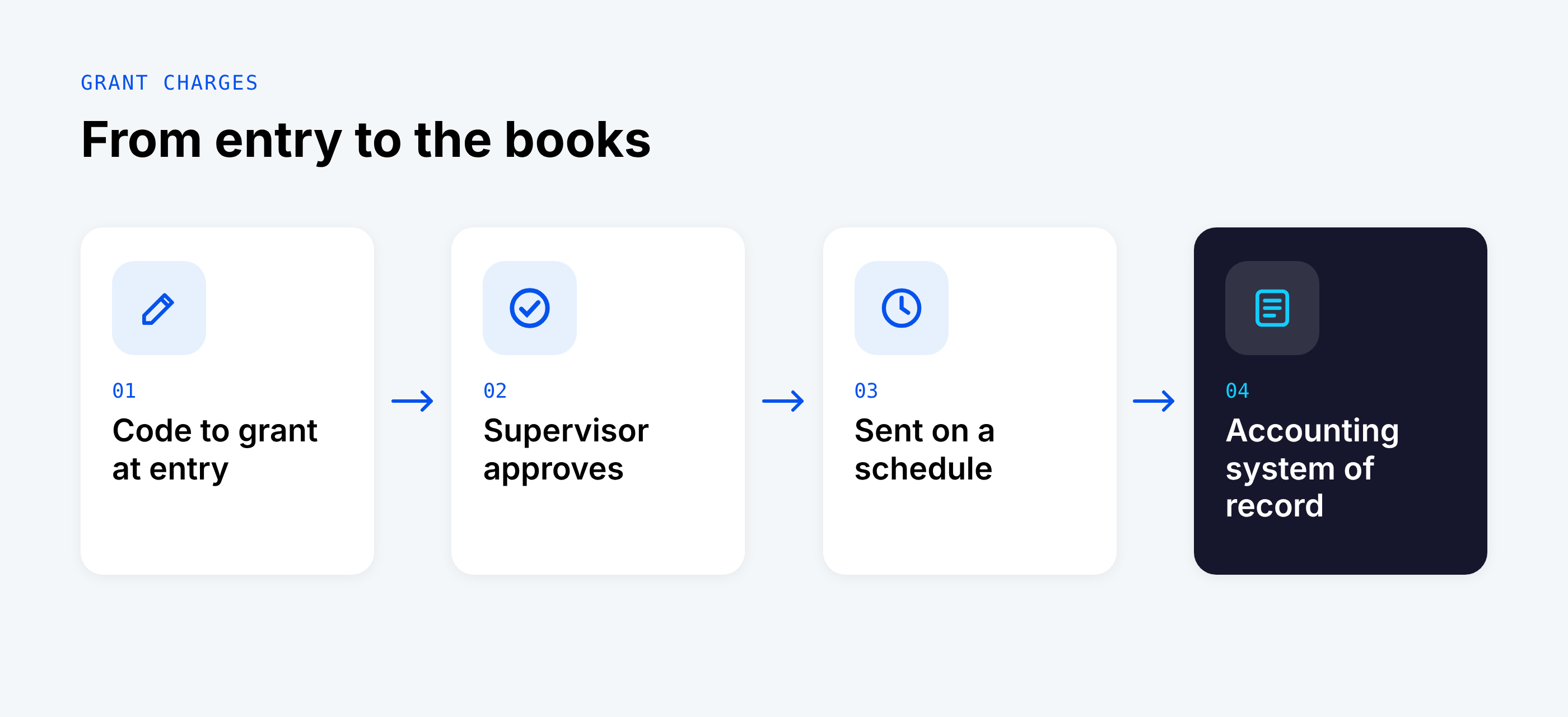
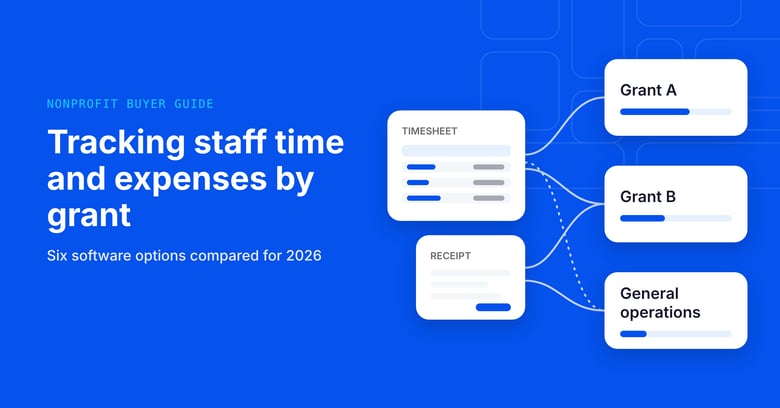
The best way for a nonprofit to track staff hours and expenses by grant, fund or project is to code every hour and every expense to a grant or program when it is entered, have a supervisor approve it, and send the approved, coded records to your accounting system on a schedule.
Federal awards add a specific bar: under 2 CFR 200.430, personnel charges must rest on records that reflect the work actually performed, cover 100 percent of an employee's compensated time, and sit inside a system of internal control. Software that does this for both timesheets and expense reports in one place, and keeps your fund accounting system as the system of record, is the shortlist.
DATABASICS makes one of the products on this list. We apply the same criteria to every entry, including where we are not the best fit.
What the federal rules ask your records to show
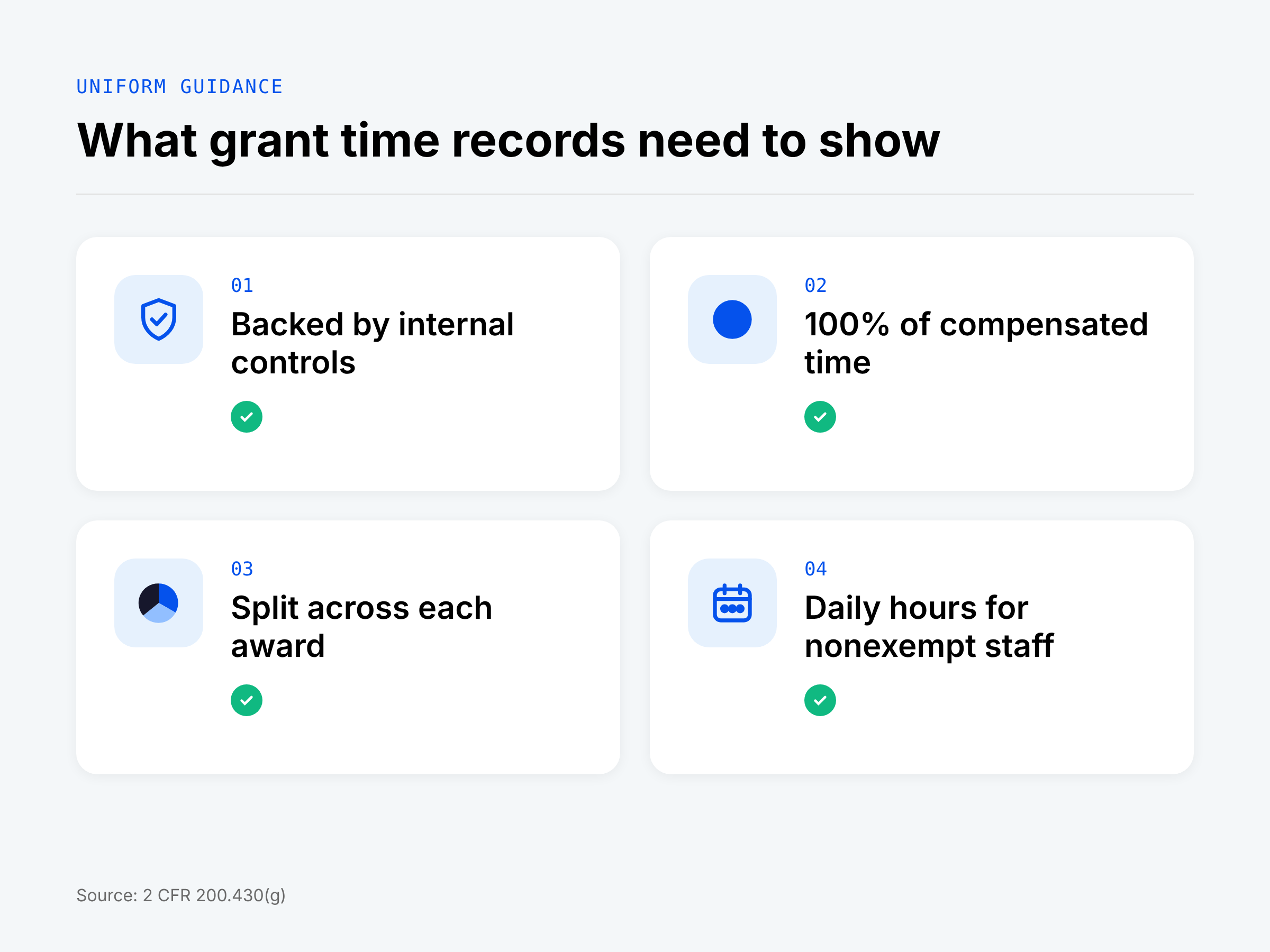
Most grant-funded nonprofits answer to the Uniform Guidance, and its standard for personnel costs is 2 CFR 200.430(g), "Standards for Documentation of Personnel Expenses." As of November 2026, the text of 2 CFR 200.430 says charges "must be based on records that accurately reflect the work performed." In plain terms, the records need to:
- Be supported by internal controls that give reasonable assurance charges are accurate, allowable and properly allocated.
- Cover all of an employee's compensated activity, federal and non-federal, without exceeding 100 percent.
- Support the split when one person works on more than one award, or on direct and indirect work.
- Show total hours worked each day for nonexempt employees.
Budget estimates "alone do not qualify as support." You can use them for interim charges only if you run periodic after-the-fact reviews and make the adjustments. That is why a spreadsheet of planned percentages, reconciled once a year, tends to fall apart under audit.
No timekeeping product is certified for the Uniform Guidance. The rule sets documentation standards; your policies and controls meet them, and software either makes those controls easy to run or leaves them to manual effort.
How we chose
We built the criteria from questions nonprofit finance teams ask us on sales calls, then checked each product against them using the vendor's own pages or a dated third-party source.
- Coding at entry. Can staff charge hours and expenses to grant, fund, program and cost center without a separate allocation step later?
- Splitting one person's effort or spend. Finance teams regularly ask how to split a single person's spend, or a single week of hours, across several programs.
- Approvals that match grant ownership. Program managers, supervisors and finance often all need a look before a charge posts.
- Timesheets and expense reports together. Grants fund people and purchases. Two disconnected tools mean two coding schemes to keep aligned.
- Handoff to accounting. Approved, coded records should reach your fund accounting or ERP system without retyping.
- Leave rules. Organizations with staff in several countries ask how PTO rules differ by country and how leave is charged.
Comparison at a glance
| Product | Best for | Key strength | What to check |
|---|---|---|---|
| DATABASICS | Nonprofits that want timesheets and expense reports coded to the same grants, feeding their ERP | Hours and expenses coded by grant, with expense splits, code date limits and a timesheet audit report | Percentage-based time entry and budget reporting by grant |
| ClickTime | Nonprofits that mainly need grant timesheets, with expenses as an add-on | Nonprofit pricing; tracks time by program, grant or funding source | Expense tracking and integrations are add-ons |
| TimeRewards | Smaller grant-funded teams focused on timesheets | Percentage-based entry and multi-level approvals on its Professional plan | Expense reporting coverage |
| Sage Intacct | Larger or multi-entity nonprofits choosing an accounting system | Dimensional nonprofit accounting and reporting | How staff will capture hours and receipts |
| Harvest, Clockify, Toggl Track | Small teams with simple projects | Approvals available on higher plans | Change history and grant-level controls |
| QuickBooks Time | Nonprofits already on QuickBooks Online | Built for the QuickBooks Online ecosystem | Timesheet approvals by plan |
 The six options
1. DATABASICS
Best for: nonprofits that want staff hours and expenses charged to the same grants, funds and programs, approved, and passed to the accounting system they already run.
Our nonprofit timesheets and expense reports let staff code hours and expenses by grant, project, phase, task or cost center when they enter them. Administrators can limit which charge codes each employee or group can use, and give each code start, end, open and close dates so nobody charges an award outside its period of performance.
Shared costs are where grant accounting usually breaks down. With distribution turned on, staff can split one expense across several grants, projects or cost centers by dollar amount or percentage, either for the whole report or line by line. Our expense allocation by project also covers board member and volunteer expenses. Approval rules can be set per project, so the right program manager reviews a charge before it moves on.
For audit support, every timesheet carries an audit report that logs each change from the first save onward: who made it, when, the original and new values, deleted entries, and approval or rejection comments. Employees, approvers, proxies and administrators can view or export it. Timesheet rules can require daily entry and flag a timesheet that falls short of or exceeds expected daily or weekly hours. These rules are set up during implementation to match your policy.
Your ERP or fund accounting system stays the system of record. DATABASICS does not replace it. Approved, coded entries move to connected systems in scheduled batches, never real time. Our ERP integrations page and nonprofit page list Sage Intacct, Oracle NetSuite, Microsoft Dynamics, Sylogist and ADP. Receipt matching uses OCR and AI-assisted review, and a designated person approves.
What sets us apart for grant work is the service around it: our team configures the system to your payroll rules, cost codes and reporting needs during implementation, and stays involved as funders and policies change. PTO and leave management is an add-on. Accrual methods, carryover and leave rules can be set separately by employee group, profile and location, which is how organizations with staff in several countries handle different rules.
What to verify:
- If your staff report effort as percentages rather than hours, ask us to walk through how that would work for your setup.
- Our product page describes dashboards for hours, expenses, costs and budgets. Ask how those break out by grant with your own data.
- Which grant, fund and program fields carry over to your ERP. This depends on your ERP and how it is set up.
Not the best fit if: you only need timesheets for a handful of people on one award, or you want your timesheet tool to also be your accounting system.
2. ClickTime
Best for: nonprofits whose main need is grant-coded timesheets.
As of November 2026, ClickTime's nonprofit pricing page leads with "Track time by program, grant, or funding source" and lists Team at $14 and Premier at $21 per user per month, for up to 200 users, with Enterprise priced on request. Expense tracking, covering receipt capture, expense approvals and reporting, is a $4 per person per month add-on. Integrations, including Sage Intacct, are an add-on by quote. The page lists audit trail and change history under administration controls, and its reports page covers reports by project, client, cost or team.
What to verify: which plan includes timesheet approvals and change history (the page routes some questions to an account manager), and how expenses coded in the add-on reach your accounting system.
3. TimeRewards
Best for: smaller grant-funded teams that need timesheets built around the Uniform Guidance.
TimeRewards publishes a grant time tracking comparison (updated October 2026) that tests tools against 2 CFR 200.430. On its own product, it says the Professional plan adds percentage-based entry, multi-level approvals, custom fields and a Sage Intacct integration.
What to verify: how you will handle grant-coded expense reports, since that page focuses on time.
4. Sage Intacct
Best for: larger or multi-entity nonprofits selecting the accounting system that will hold grant and fund records.
A June 2026 nonprofit budgeting guide describes Sage Intacct as advanced nonprofit accounting with dimensional reporting for large or multi-entity organizations. Sage Intacct is a system of record, so the question is usually how hours and receipts get into it with the right grant and program dimensions.
What to verify: whether its native capture tools fit your staff, or whether a dedicated timesheet and expense tool feeding it is the better split.
5. Harvest, Clockify and Toggl Track
These general time trackers work for simple project tracking. According to the TimeRewards comparison (October 2026), each offers timesheet approvals on its higher plans, and Harvest integrates with QuickBooks Online and Xero. Check whether the plan you would buy includes a change history, and whether grant codes can be restricted by employee. None was built around federal personnel documentation.
6. QuickBooks Time
QuickBooks Time requires QuickBooks Online, which suits nonprofits already there. The same TimeRewards comparison notes that Intuit's pricing page did not list timesheet approvals as of October 2026, so confirm how supervisor approval works before you rely on it for grant charges.
 Questions to ask on every demo
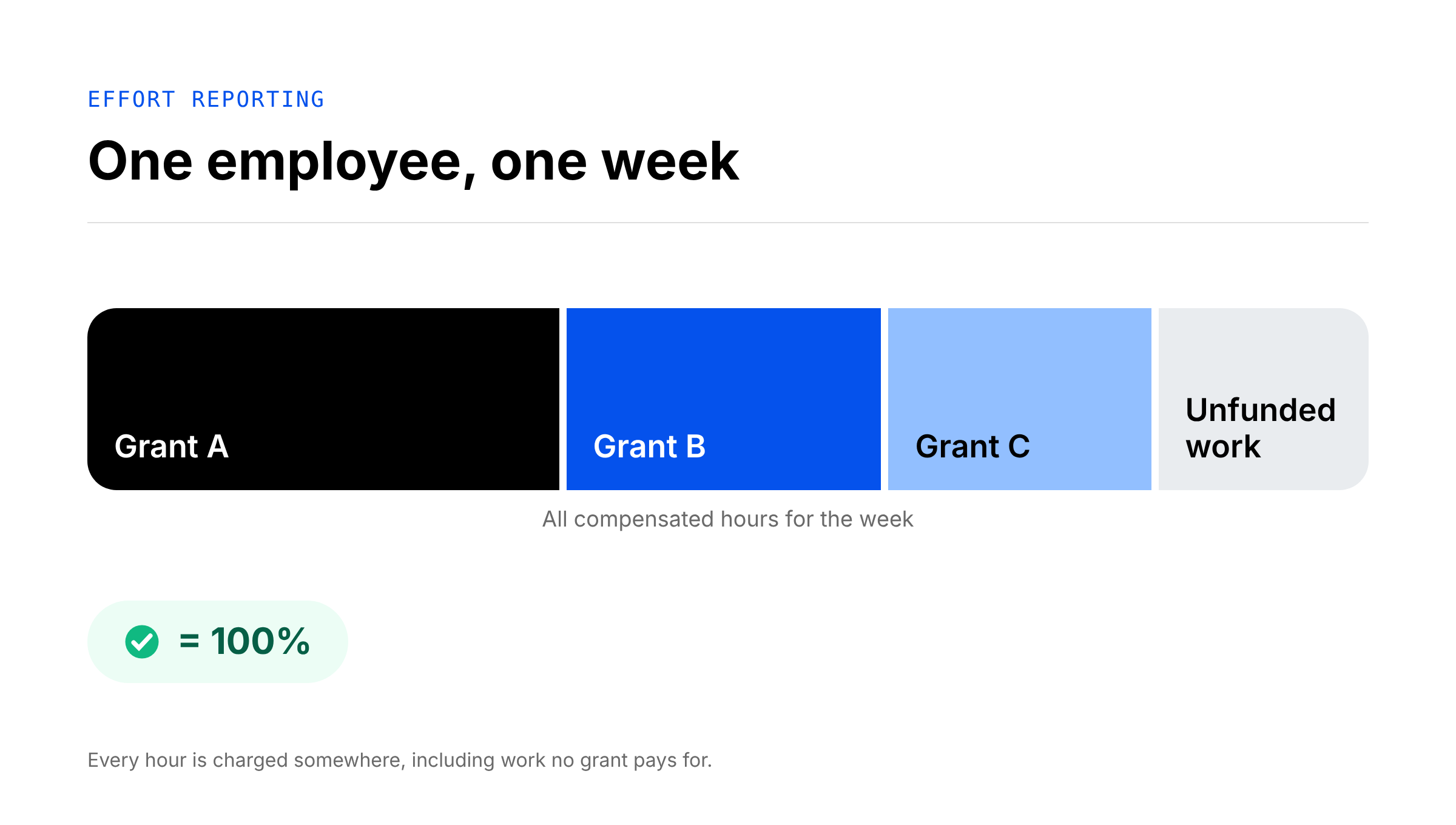
- Show me an employee splitting one week across three grants and one unfunded activity. How does the timesheet prevent more or less than 100 percent?
- Show me one expense split across two programs. What does the record look like in our accounting system afterward?
- How do you stop staff from charging a grant they are not assigned to, or one that has ended?
- Who approves a charge to a grant: the supervisor, the program manager, or both? Show me the approval workflow for each.
- If someone edits a timesheet after approval, where do I see who changed what and when?
- How do approved hours and expenses reach our ERP or fund accounting system, how often, and what happens to a record that fails to post?
- How are PTO and holidays charged across grants, and can leave rules differ by country?
- Who on your side configures our grant codes and approvals, and who do we call when a funder changes the rules?
Frequently asked questions
What is the best way for nonprofits to track staff time by grant?
Code every hour to a grant, fund or program on the timesheet itself, have a supervisor approve it, and include unfunded time so the sheet covers all compensated hours. Software that blocks charges to unassigned or closed grants and sends approved records to your accounting system removes most of the manual reconciliation.
Is any timesheet software certified for the Uniform Guidance?
No. The Uniform Guidance sets documentation standards in 2 CFR 200.430(g) but does not certify software. A tool can support those standards with coding, approvals and change history; your written policies and reviews complete the picture.
Can we charge grants based on budgeted percentages?
Only for interim accounting. Under 2 CFR 200.430(g), budget estimates alone do not qualify as support. You need periodic after-the-fact reviews and adjustments so the charges match the work actually performed.
Do salaried staff need daily timesheets for federal grants?
The daily-hours requirement in 2 CFR 200.430(g)(3) applies to nonexempt employees. Exempt staff still need records that reflect actual work and support how their pay is split across awards, which is why many nonprofits use weekly or semimonthly timesheets for them.
Should timesheets and expense reports be in the same system?
For grant work, it usually helps. One set of grant, fund and program codes, one approval structure and one handoff to accounting mean fewer mismatches between what payroll charged and what expenses charged to the same award.
Does timesheet software replace our fund accounting system?
It should not. Your accounting or ERP system stays the system of record for grants and funds. The timesheet and expense tool captures, codes and approves the detail, then sends it there on a schedule.
Next step
Take the demo questions above to every vendor on your shortlist, including us, and ask each to run them on your own grant structure rather than a sample company. If you want to see how DATABASICS handles timesheets and expense reports in one system, book a demo and bring your chart of accounts.
Best timesheet and expense software for nonprofit grant tracking (2026)
Read Now
Trustworthy AI in Finance Starts With the Transaction
Read Now
What changes for timesheets and expense reports in 2027
Read Now
Best SAP Concur alternatives for mid-market finance teams (2026)
Read Now
What manual expense reporting costs construction teams
Read Now
Best expense software for complex approval workflows (2026)
Read Now