




A failed labor floor check can cost you rejected invoices, suspended payments and even stall your next award. For a federal contractor, timekeeping is not paperwork. It's the first record a Defense Contract Audit Agency (DCAA) auditor opens, because labor is usually the largest cost on a government contract and the hardest to verify after the fact. When on-site crews reconstruct their weeks from memory, inaccuracies and a lack of approval or traceability travel into every invoice you submit.
DCAA-compliant timekeeping practices are required for any business working on federal contracts. That's why it matters which clock hardware you use. The right one closes compliance exposure and delivers timekeeping records you can trust from a device built for the floor rather than the desk.
What DCAA Actually Requires From a Timekeeping System
DCAA does not certify software or hardware. It evaluates whether your labor system produces records it can trust. Four expectations sit at the center of that review.
- Daily, contemporaneous entry. Employees must record hours as work happens, ideally by the end of each workday. They also must certify their time with a physical or digital signoff. End-of-week entry relies on memory, and auditors treat it as a control weakness.
- Supervisor review and approval. A manager must review and approve submitted time, creating a second set of eyes on every charge.
- Project and labor cost segregation. Hours must be coded to the correct project, task, or contract line so costs are allocated accurately.
- A complete, traceable audit trail. The system must log when entries were made and changed, with periods locked after approval so records cannot be quietly altered.
These expectations are laid out in the DCAA Contract Audit Manual (DCAAM 7640.1) and its companion pamphlet, Information for Contractors (DCAAM 7641.90). The stakes extend to billing and payment. Federal Acquisition Regulation (FAR) 52.232-7 ties payment for time-and-materials and labor-hour contracts to verified labor hours at approved rates. Therefore, an unreliable timekeeping record is also a payment risk.
Accountability also equals revenue. The Association of Certified Fraud Examiners' 2026 Report to the Nations finds that the typical organization loses 5% of revenue to occupational fraud each year, with a global median loss of $104,000 per case. Payroll and timekeeping schemes sit squarely inside the occupational fraud Asset Misappropriation category.
Why Software-Only Time Tracking Breaks Down On Site
Software handles DCAA requirements well when every worker has a computer or phone within reach. That assumption holds in an office. It falls apart on a manufacturing floor, inside a secure lab, or at a site trailer where no one carries an assigned device.
Workers without a device wait until they reach one and then enter the whole week at once. That's the exact practice DCAA flags as non-contemporaneous. Personal phones make the gap worse, not better, because they're often prohibited in secure or classified spaces. The result is a quiet compliance gap. Your software is fully capable; your on-site people simply can't reach it at the moment it counts.

How the Right Time Clock Hardware Closes the Gap
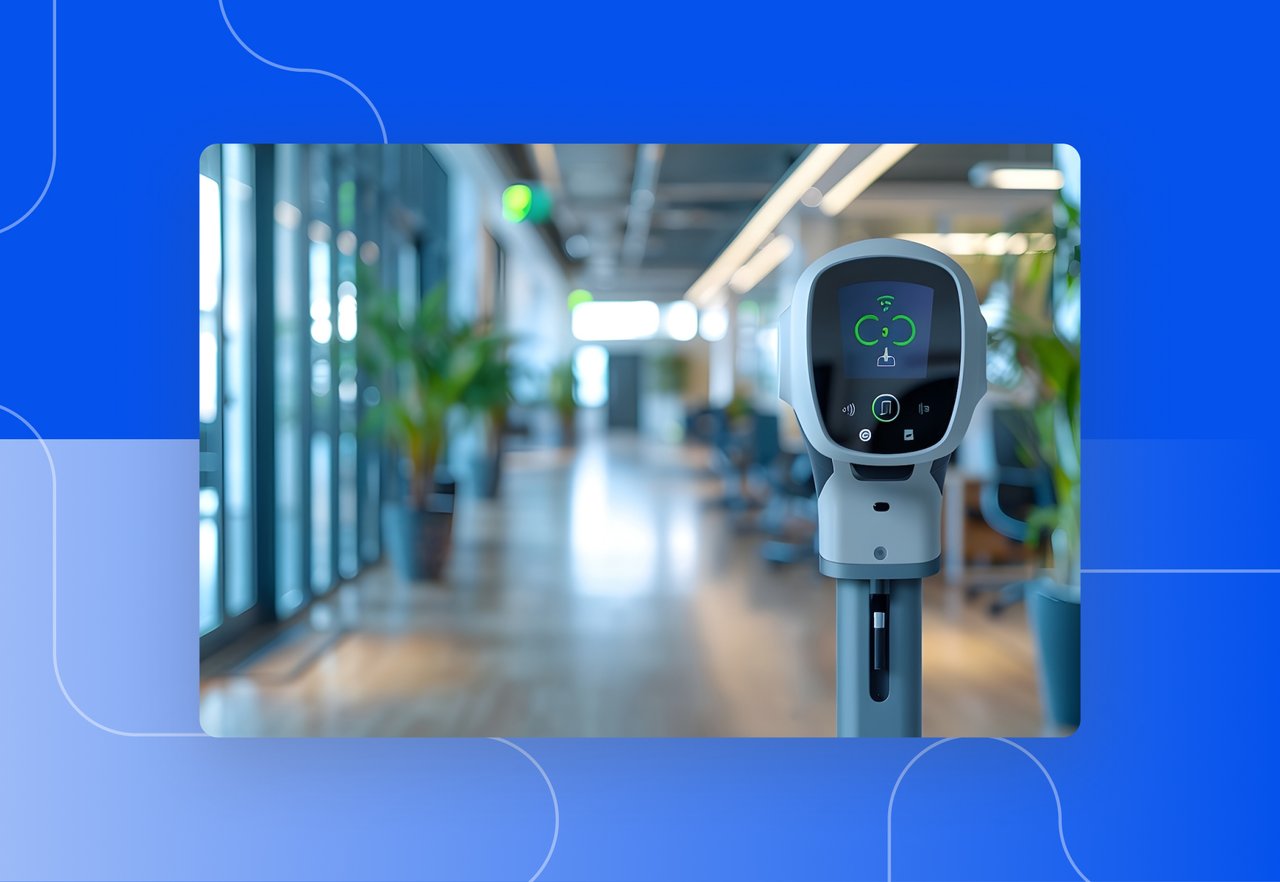
The DATABASICS Shared Time Clock is an industrial-grade clock device that brings contemporaneous capture to on-site workspaces. It's not a siloed, standalone box. It's an extension of your existing DATABASICS Time and Expense system, so on-site entries land in the same DCAA-ready timesheet engine your office staff already uses.
Workers log in with their own credentials and clock in against specific projects and tasks. That keeps labor coded correctly at the source, which is where project cost segregation either holds up or breaks down. Time entries, timesheet access, and leave tracking are all available from the device itself.
Because every entry flows into the DATABASICS Time system, the same rules follow it. Daily-entry requirements, supervisor approval workflow, and a locked-period audit trail apply to on-site hours exactly the same as office-based, desktop hours. You gain faster, cleaner audits with time-and-materials invoices backed by traceable hours, instead of a last-minute scramble to reconstruct records when an auditor calls.
Adding Identity Assurance and Floor-Check Readiness
Accurate hours are only useful if you know who entered them. The device captures a photo automatically at every login, with no option to bypass this control. Clock-ins are never blocked, so a busy shift change keeps moving. Accountability is added after the fact through a daily facial confirmation report that flags any login photo that doesn't match the enrolled employee on file.
This design deters buddy-punching across rotating crews and subcontractors without turning the clock into a bottleneck. The hardware is built for the conditions it lives in. It carries an IP65 rating against dust and water, runs on Wi-Fi by default with optional 4G LTE, and supports remote reboot, lock, and configuration so IT can manage a fleet of devices from one place.
The model is proven for government work. Pathfinder International, a contractor operating in 19 countries, met DCAA compliance requirements using DATABASICS and went live in less than 40 days. DATABASICS backs deployments with a U.S.-based support team that holds a 4.95/5.0 satisfaction rating. When an auditor arrives for a floor check, on-site entries are already contemporaneous, project-coded, and traceable to a confirmed identity.
Frequently Asked Questions
Is a time clock alone enough for DCAA compliance?
No. A clock captures presence, but DCAA also requires daily entry, project cost allocation, supervisor approval, and a locked audit trail. The device has to feed a timekeeping system that provides those controls. The DATABASICS Shared Time Clock does this by routing every entry into the DATABASICS Time system.
What makes a time clock “DCAA compliant”?
The hardware itself is not certified by DCAA. What matters is that the timekeeping system behind it enforces contemporaneous daily entry, codes hours to the right project, requires approval, and locks records after the fact.
Can on-site workers without phones still meet contemporaneous entry rules?
Yes. A shared physical clock gives crews a dependable station to log time when work begins, even where personal devices aren't allowed. This replaces end-of-week memory entry with real-time records, which is what contemporaneous documentation requires.
Does the Shared Time Clock work with our ERP or accounting system?
It feeds the DATABASICS Time system, which integrates natively with platforms including Sage Intacct, Oracle NetSuite, Microsoft Dynamics, Deltek Costpoint, and ADP. Labor data flows from the floor to your accounting and payroll systems without manual re-entry.
How does facial confirmation work on the device?
The clock photographs each person at login and never blocks the clock-in. A daily audit report compares those photos to enrolled employee records and flags mismatches for an administrator to review. It's identity assurance, not a gate that can lock a worker out mid-shift.
Bringing It Together
On-site crews are where DCAA timekeeping most often slips, and DCAA compliant timekeeping is how federal contractors close that gap. The DATABASICS Shared Time Clock captures contemporaneous, project-coded time on the floor and feeds it into a system built to survive an audit.
Request a demo to see how the DATABASICS Shared Time Clock captures audit-ready time for your on-site teams. If you're still mapping out your approach, compare the trade-offs first in our guide to time clock, mobile punch, and timesheet capture methods, and review the full picture for government contractor time tracking. For workforces that mix on-site and remote staff, DATABASICS Clock In/Out extends the same compliance controls across web, mobile, and kiosk points of entry.
There’s a New Chief at Work: How AI Changes Compliance
Read Now
Best expense management software for construction field crews (2026)
Read Now
Timesheets and Expense Reporting Software: The Top Questions We Hear From Buyers
Read Now
Best DCAA timesheet software for government contractors (2026)
Read Now
Expense Reporting Compliance: Policy to Audit Trail
Read Now
From Timesheet to Audit Trail: Building Compliance Into Time Reporting
Read Now
