


Top 10 Questions to Ask About Your Expense Reporting Vendor’s AI OCR Capabilities
AI OCR (Artificial Intelligence Optical Character Recognition) has become the backbone of modern receipt capture, but not all solutions work the same way. While OCR has been used for years to pull basic data from scanned receipts, developments in AI allow today’s systems to go further. This guide describes the capabilities you should look for in an expense management vendor's OCR offering. While not all vendors offer every feature described here, these represent current best practices and available technology as of 2026.
It's important to understand that “OCR” encompasses a wide range of technologies:
- Traditional OCR: Pattern-matching based, ~64% accuracy on receipts
- AI-Enhanced OCR: Machine learning-powered, 85-95% accuracy
- LLM-Based OCR: Uses large language models (GPT, Claude, Gemini), 97-99% accuracy
The capabilities described in this guide reflect modern AI-enhanced and LLM-based systems, not basic OCR.
By combining OCR with artificial intelligence, vendors can extract receipt details, match them to transactions, validate accuracy, and flag issues before an expense report ever reaches a human approver.
All you have to do is photograph the receipt and let the software handle the rest. But in practice, results vary widely depending on how the AI OCR is implemented. Understanding what to expect and what to ask makes a big difference in how much time your team actually saves.
1. Does it Matter Whether I Take a Picture Sideways or Even Upside Down? How Sensitive is the Recognition Capability to Image Quality?
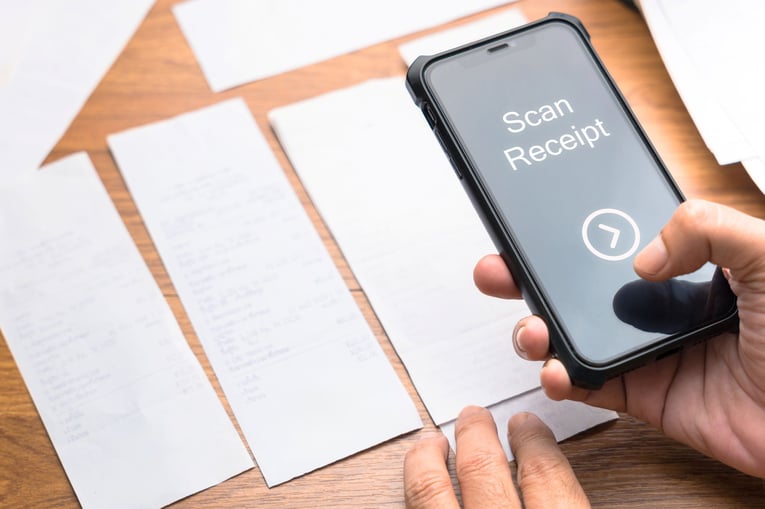
The most advanced AI-powered OCR systems can achieve 97-99% accuracy on high-quality receipt images, approaching human-level performance. However, industry-wide OCR accuracy averages around 64% when used alone, with significant variation depending on image quality, receipt format, and system sophistication.
Advanced AI-enhanced OCR systems are improving their ability to handle poor orientation, low light, and wrinkled receipts, though these factors can still significantly impact accuracy. The best systems include pre-processing capabilities that automatically correct orientation, enhance contrast, and improve readability. However, for optimal results, high-resolution images (300+ DPI) with good lighting and minimal distortion are still recommended.
2. How Much Direction Should You Have to Give the OCR?
Ideally, none. AI OCR should recognize whether a receipt is a simple tape receipt, a hotel folio, or a more detailed document without asking the user to label or explain it. The less guidance required, the better the experience (and the higher the adoption rate). Leading AI-powered OCR systems can achieve 97-99% accuracy on high-quality receipt images, with some vendors claiming to exceed human-level performance. However, accuracy varies significantly based on:
- Image quality and resolution
- Receipt format and complexity
- Whether handwriting is involved
- The sophistication of the OCR engine
Basic OCR systems average around 64% accuracy industry-wide, which is why AI enhancement and, in some cases, human verification remain important.
3. If AI OCR Struggles With a Receipt, is That Just Part of The Process?
No. AI OCR systems should improve over time. When exceptions occur, the best vendors use those cases to train the system so the same issue doesn’t keep happening. This is a clear indicator on how well an AI-driven OCR system is designed.
4. Can You Map The OCR’D Receipts to Credit Card or P-Card Charges?
This is where AI OCR delivers real value. Beyond extracting data, AI should automatically match it to the correct card transaction, detect duplicates, and flag missing or mismatched entries. That’s what reduces manual reconciliation.
5. Can You Scan Receipts By Mobile, Then Later OCR Them As You Prepare Your Expense Report?
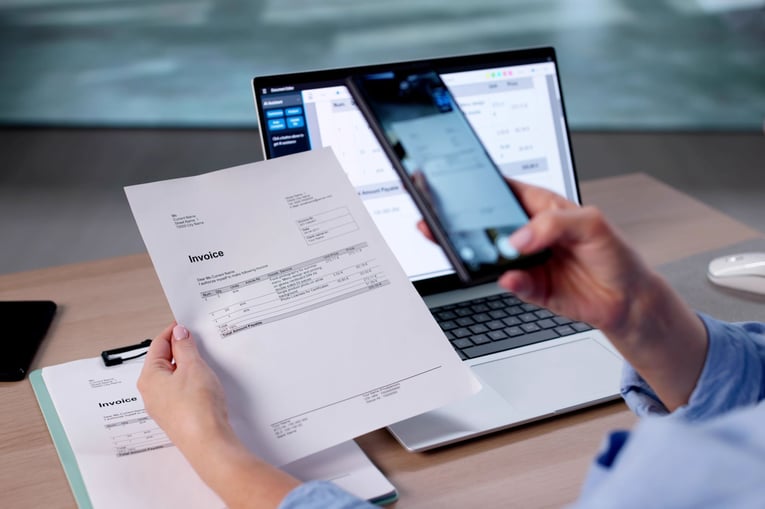
Yes. AI OCR should work on your timeline, not the system’s. Receipts can be scanned from any device, emailed, or uploaded at any time, then processed and validated when the expense report is created.
6. Can OCR Be Part of the Same Process You Use to Create or Add to an Expense Report?
Absolutely. AI OCR is designed to work seamlessly within the expense reporting workflow. There should be no separate steps or manual syncing required.
7. Can You Control Where OCR’D Receipts Are Stored?
Yes. You should be able to define whether the receipt attaches directly to a specific line item, report, or repository. AI ensures that the placement is context-aware, minimizing misclassification and manual cleanup.
8. Can OCR Data Be Used for Validation and Audit Review?
This is one of the major advantages of AI OCR. Instead of approvers manually checking receipts, the system can validate merchant names, dates, and amounts automatically and surface only the exceptions that need attention. This provides stronger audit controls while reducing workload.
9. What Data Can OCR Capture Off a Receipt?
AI OCR goes well beyond basic fields. Depending on the receipt type, systems can capture:
- Hotel folio: room rate, taxes, meals
- Car rental: gasoline, daily rate
- Meals: number of guests, tip amount
With AI, the system learns to recognize new formats and categorize expenses with higher precision over time.
Powered by decades of experience, DATABASICS helps organizations manage time and expense with AI-driven, OCR-enabled solutions built for real-world use. By bringing AI OCR directly into the expense reporting process, DATABASICS reduces manual effort, improves accuracy, and keeps audits moving efficiently.
10. Does the OCR Use the Codes I Configure or Does it Have its Own?
AI OCR should always use your configured expense types, GL codes, and policies to avoid creating additional translation work for users.
AI OCR Receipt Capture
Figure 1 | Digital receipt captured and validated via AI + OCR on desktop
Figure 2 | Physical receipt scanned, matched, and validated via AI + OCR on mobile
Current Limitations to Be Aware Of:
- Handwritten receipts remain challenging even for advanced systems
- Faded, crumpled, or very low-resolution images may still require manual review
- Unusual receipt formats may need initial training before accurate extraction
- Multi-language receipts with mixed scripts can reduce accuracy
- Complex hotel folios or itemized receipts with non-standard layouts may need human verification
Conclusion
The Bottom Line
OCR technology has advanced significantly, with the best AI-powered systems now achieving near-human or even superhuman accuracy on receipt data extraction. However, not all OCR solutions are created equal. When evaluating vendors, look for:
✓ AI/machine learning enhancement, not just basic OCR
✓ Specific accuracy rates and performance data
✓ Orientation and image quality tolerance
✓ Continuous learning capabilities
✓ Automatic matching with credit card transactions
✓ Human verification options for edge cases
DATABASICS offers advanced OCR with automated, powerful expense reporting & receipt fraud detection. Request a demo to see how our solution handles your specific receipt types and workflows.

The Physician Payments Sunshine Act (Open Payments): 2026 Expense Reporting...
Read Now
Mastering Corporate Expense Reporting: A 6-Step System for Policy Creation,...
Read Now
A Guide to Receipt Capture and AI OCR for Expense Reports
Read Now


Buyer’s Guide to Timesheet & Expense Reporting Software
Read Now