


Real-time expense monitoring means your team's spending is visible as it happens, not three weeks later when the expense report finally lands in your inbox. You can see who submitted what, flag policy violations automatically, and stop a duplicate receipt before it hits the books. The technology to do this has existed for years. Many organizations aren't using it because they're still running on a spreadsheet-and-email approval process that has no concept of "real time."
This article covers the specific controls that catch duplicate receipts and unauthorized charges, how policy enforcement actually works in a modern expense system, and what to look for when you're evaluating whether your current setup is doing the job.
What Does "Real-Time Expense Monitoring" Actually Mean?
 Real-time expense monitoring gives finance teams a live view of employee spending as transactions occur, not when reports are submitted. In practice, this means three things: transaction feeds from corporate cards that update within 24 hours of a purchase, a submission workflow where employees attach receipts immediately rather than collecting them for a batch submission, and an approval process with automated rules that flag or block non-compliant expenses before they route to a manager.
The alternative is the traditional model: employees collect receipts, submit a report at the end of the month, a manager approves or rejects it, and finance processes it. The gap between the expense and the review can be 30 to 45 days. By then, the budget period is closed, the employee may have left, and the receipt is a blurry photo taken in bad lighting three weeks ago.
"The gap between the expense and the review in a traditional process can be 30 to 45 days. By then, the budget period is closed and the receipt is a blurry photo from three weeks ago."
According to the Association of Certified Fraud Examiners (ACFE), expense reimbursement fraud accounts for 21% of all occupational fraud cases, with a median loss of $33,000 per incident. The organizations most at risk are those with weak approval controls and long submission cycles. (ACFE Report to the Nations, 2024.)
How Do You Prevent Duplicate Expense Submissions?
 Preventing duplicate receipts requires automated detection at the point of submission, not manual review by a manager. A properly configured expense system checks every new submission against the existing database for matching combinations of: amount, vendor name, submission date, and employee. When a match is found, the system flags it before routing for approval.
There are two types of duplicates to catch:
- Exact duplicates: The same receipt submitted twice, either by accident (a forgotten earlier submission) or intentionally. Same amount, same vendor, same date. These are the easiest to catch automatically.
- Near-duplicates: A receipt submitted once as a corporate card expense and once as an out-of-pocket reimbursement request. Same transaction, two claims, two systems. These require cross-system matching, which is why organizations with both a corporate card program and a reimbursement process are more exposed.
In DATABASICS Expense, duplicate detection runs at submission. If an employee submits a receipt that matches an existing claim within configurable parameters (amount within a tolerance, same vendor, same date range), the system holds the report and surfaces the conflict before it reaches the approver. The approver never sees a clean report that's actually a duplicate.
Duplicate detection works best when corporate card transactions and out-of-pocket submissions live in the same system. Organizations running card expenses through one platform and manual reimbursements through another have a structural gap that no individual tool can fully close.
How Do You Catch Unauthorized Charges Before They're Reimbursed?
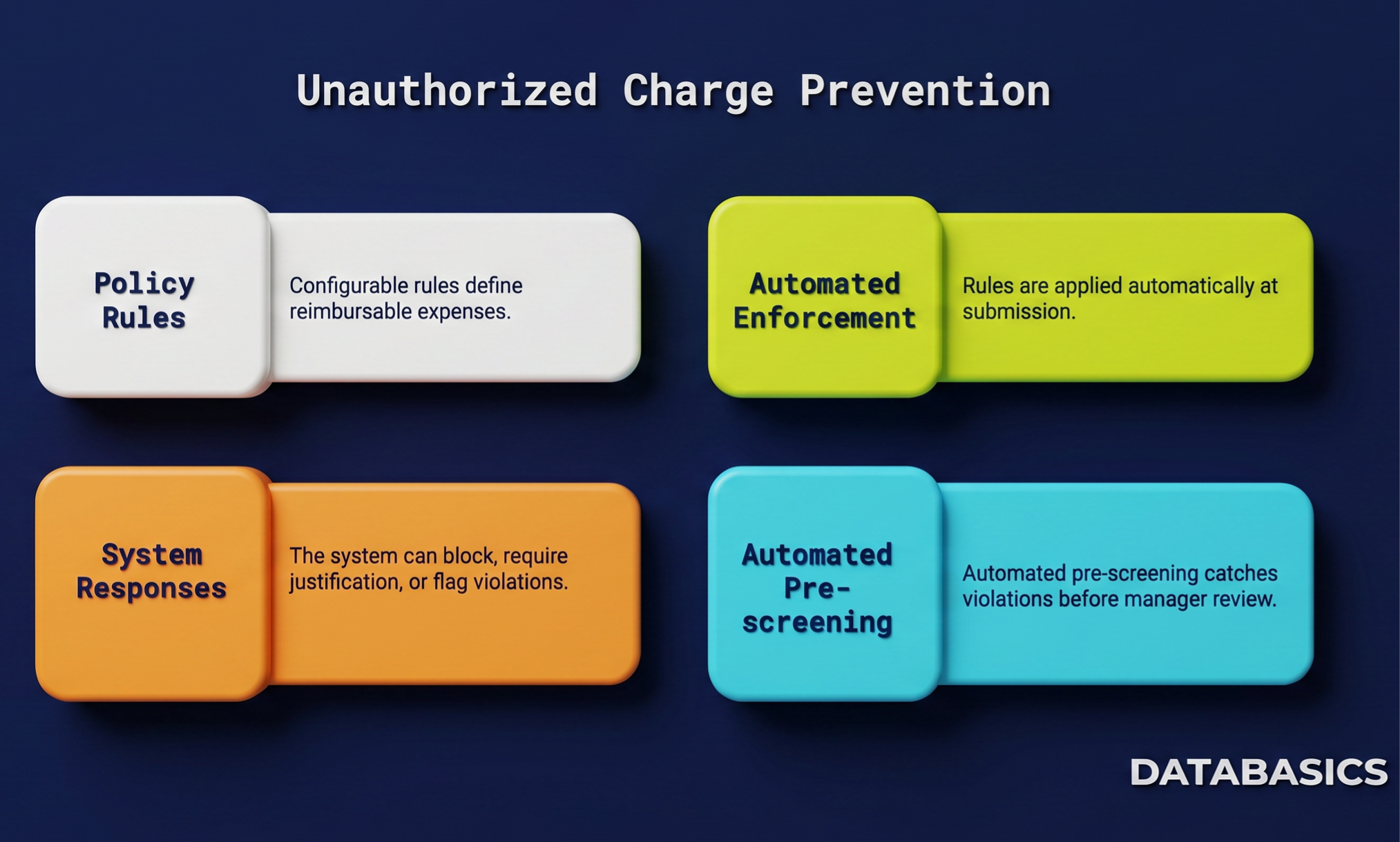 Catching unauthorized charges requires two controls working together: policy rules that define what is and isn't reimbursable, and automated enforcement that applies those rules at submission rather than leaving it to manager judgment.
Policy rules in a modern expense system are configurable by expense category, amount threshold, employee role, project, and cost center. For example:
- Meals over $75 per person require a business purpose and attendee list
- Airfare must be booked in economy unless the employee is a director or above
- Alcohol is non-reimbursable regardless of amount
- Hotel rates over $200 per night require manager pre-approval
When a submission violates a rule, the system can either block the submission outright, require the employee to add justification before the report can proceed, or flag it for enhanced review without blocking. Which response is appropriate depends on the severity of the violation and your organization's culture around enforcement.
The key word is "automated." Policy enforcement that depends on a manager remembering to check every line item is not enforcement. It's optimism. According to a 2023 Oversight Systems survey, 54% of expense report reviewers spend fewer than three minutes per report. Automated pre-screening before the manager ever sees the report is the only way to catch violations consistently.
What Controls Should You Set Up to Enforce Spending Policies?
A complete set of expense controls covers the full submission lifecycle: before the expense happens, at submission, during approval, and after reimbursement.
| Control type | What it catches | Where it sits in the process |
|---|---|---|
| Spending limits by category | Over-limit meals, hotels, transportation | At submission (auto-flag or block) |
| Receipt requirements | Missing receipts above a dollar threshold | At submission (required field) |
| Duplicate detection | Same receipt submitted twice; card + reimbursement overlap | At submission (automated match) |
| Non-reimbursable categories | Alcohol, personal purchases, out-of-policy merchant types | At submission (hard block or flag) |
| Pre-approval requirements | High-value purchases, international travel, non-standard vendors | Before the expense (pre-authorization workflow) |
| Approval routing rules | Expenses bypassing the correct approver | During approval (enforced routing) |
| Audit-trail reporting | Pattern analysis across employees, departments, vendors | After reimbursement (ongoing) |
The table above reflects the controls DATABASICS configures during implementation. Not every organization needs every control on day one. The highest-value starting points are duplicate detection and category spending limits, because they catch the most common problems without requiring significant policy design work upfront.
How Does Real-Time Expense Data Flow Into Your ERP?
Real-time monitoring only closes half the loop if approved expenses don't move into your ERP cleanly. A report that's approved in your expense system and then requires manual re-entry into NetSuite, Sage Intacct, or Dynamics 365 is a different kind of risk. Data entry errors, missing cost codes, and timing gaps between the expense system and the general ledger are where clean expense data becomes dirty accounting data.
DATABASICS integrates natively with Sage Intacct, NetSuite, Microsoft Dynamics 365, Sage 100, Sage 300, Deltek Costpoint, Acumatica, and ADP. When an expense report is approved, it posts to the GL with the correct cost center, project code, and account mapping already applied. No CSV export. No manual re-entry. The data that left the expense system is the data that arrives in the ERP.
For government contractors specifically, this matters beyond operational efficiency. DCAA requires that labor and expense charges be recorded in the period they occur, with a clear audit trail from the original transaction to the final posting. A system where approved expenses sit in a queue waiting for manual import creates exactly the kind of gap that shows up as a finding in a DCAA floor check.
Frequently Asked Questions
Expense management platforms with corporate card integration and automated policy enforcement give you real-time visibility into spending. DATABASICS Expense connects directly to card transaction feeds and flags policy violations at submission. Other options include SAP Concur, Emburse, and Expensify. The key feature to look for is automated rule enforcement at submission, not just at manager approval, and two-way ERP integration so approved data posts to your GL without manual re-entry.
Yes. Modern expense systems match new submissions against existing claims using amount, vendor name, date, and employee. DATABASICS flags potential duplicates before the report reaches an approver. Near-duplicates, where the same expense is claimed as both a card charge and an out-of-pocket reimbursement, require a system that handles both card and reimbursement workflows in the same database.
Spending limits are configured as policy rules within the expense system by category, employee role, project, or cost center. When a submission exceeds a limit, the system can block it, require justification, or escalate to a secondary approver. Setup typically takes one to two weeks during implementation. DATABASICS builds policy rules based on your existing expense policy document.
For a mid-market organization (50 to 500 employees), implementation runs five to eight weeks depending on ERP complexity and the number of custom approval workflows required. Corporate card integration, if the organization is adding a card program alongside the software, adds two to four weeks. DATABASICS implementations include policy rule configuration, ERP mapping, and user training within that window.
Yes, provided the system has a mobile app that works offline. Employees in the field submit receipts from their phone immediately after the expense occurs, which is when the receipt is clearest and the expense is freshest in their memory. DATABASICS mobile captures receipts via photo, applies OCR to populate the expense fields, and syncs when connectivity is available. The report is in the approval queue within minutes of the expense, not weeks later.
Expense monitoring is preventive: catching violations before reimbursement. Expense auditing is detective: reviewing approved expenses after the fact to identify patterns, anomalies, or fraud. Both are needed. Monitoring stops individual bad submissions. Auditing catches patterns that individual submission review misses, such as an employee consistently submitting just below the receipt-required threshold. DATABASICS includes both automated pre-submission controls and reporting tools for post-approval audit analysis.
See how DATABASICS enforces expense policy.
We'll discuss your current approval workflow and show you where the gaps are.
BOOK A DEMO