Approving an expense report and reimbursing an employee are two different things. For many organizations, there's a gap between those two steps. It adds days to the cycle, creates manual work, and breaks down entirely for international employees. Here's how DATABASICS addresses it.
Where the process tends to stall
When finance leaders evaluate expense software, the conversation usually centers on receipt capture, mobile usability, and approval routing. These are reasonable things to evaluate. What tends to get less attention, at least early in the process, is what the platform actually does after an expense is approved.
For most organizations, the answer is: not much. An approved expense report produces an export file. Someone on the finance team downloads it, logs into a banking portal, uploads or re-enters the data, and initiates payment. The platform's job is done at approval; the payment is a separate manual task.
That handoff is where reimbursement delays build up. It's where data entry errors get introduced. And for companies with employees outside the U.S. and Canada, it's where the process tends to get genuinely inconsistent: different tools, different timelines, different levels of visibility depending on the country.
Approving an expense is not the same as reimbursing an employee. For finance teams managing this manually, that distinction shows up as extra steps, extra time, and a separate system to reconcile against.
DATABASICS is built on the premise that payment is part of expense management, not a separate step that happens afterward. This piece walks through what that means in practice, for domestic employees paid via ACH and for international employees paid through DATABASICS's integration with TransferMate.
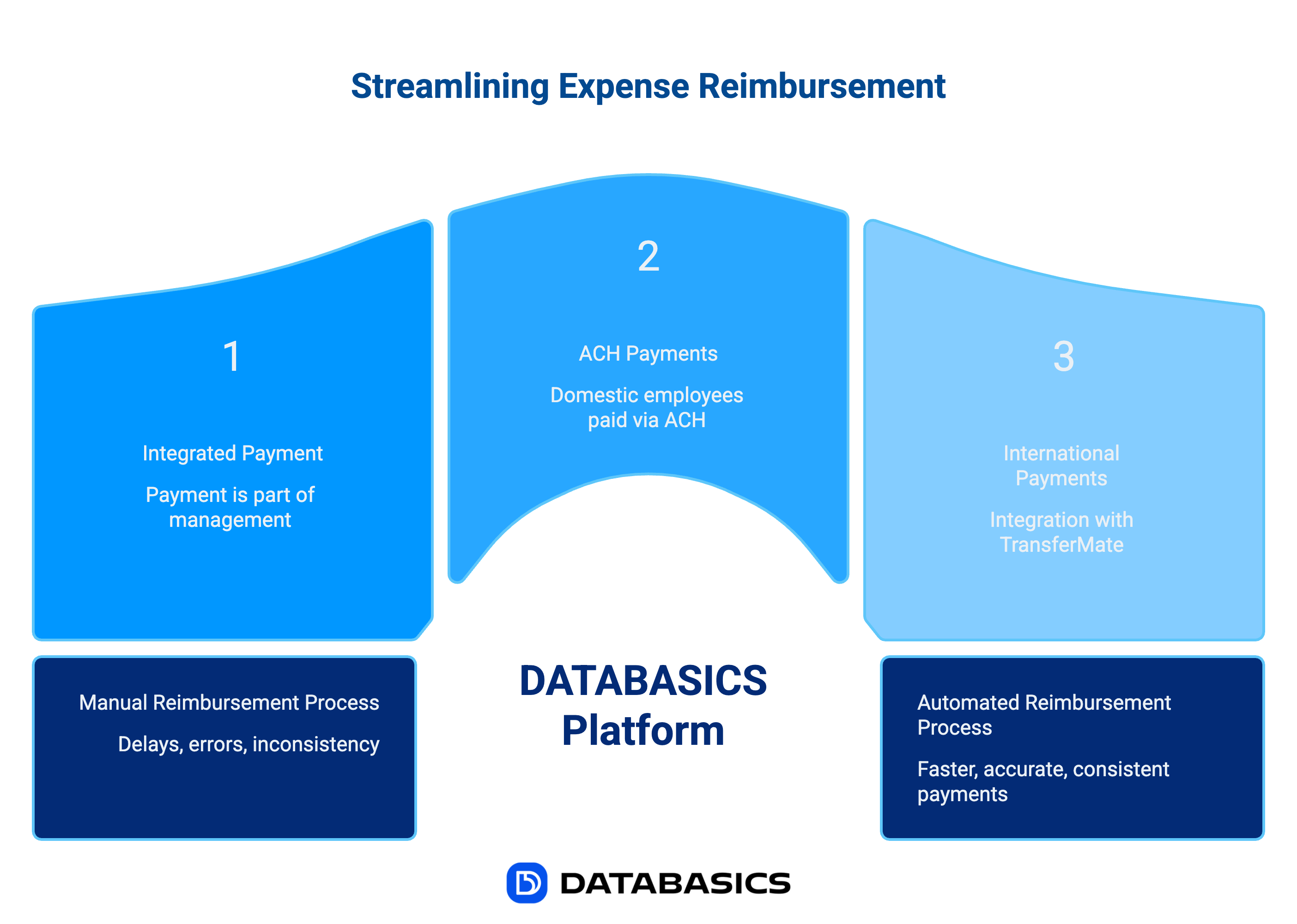
What the data reflects
The reimbursement lag isn't unique to any one organization. It shows up consistently in industry research across company sizes and sectors.
What the numbers don't capture is the quieter effect on employee behavior. When reimbursements routinely take two to three weeks, people start working around the process. They stop submitting small expenses. They decline trips. They put things on personal cards and mentally write off the wait. That's not a morale problem. It's a financial controls problem. The company loses visibility into spend that's actually happening.
For finance teams, the friction is different but just as real. Manual payment processing doesn't get easier as the company grows; it just takes longer. And when approvals live in one system and payments happen in another, month-end reconciliation becomes a cross-referencing exercise that shouldn't need to exist.
What a complete reimbursement workflow looks like
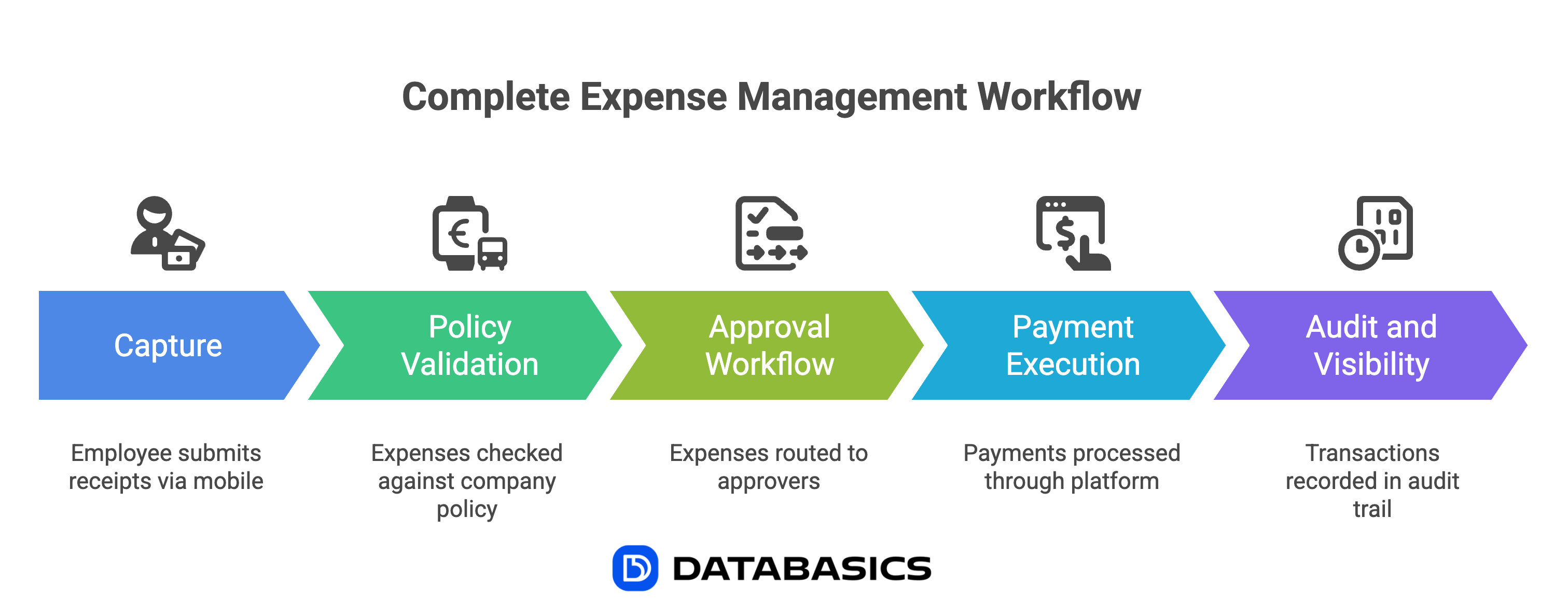 A complete expense management process has five stages. Most platforms are built and evaluated around the first three. The disconnect usually shows up in four and five.
1. Capture
Employee submits receipts via mobile. OCR extracts merchant, amount, date, and category. Mileage, per diem, and manual entries handled in the same interface.
2. Policy validation
Submitted expenses are automatically checked against company policy: spend limits, merchant categories, project codes, grant restrictions. Violations are flagged before they reach an approver.
3. Approval workflow
Expenses route to the appropriate approvers based on configured rules. Multi-level approval chains, delegation, and escalation all handled automatically.
4. Payment execution
This is where most platforms stop. DATABASICS continues, executing ACH payments in USD or CAD for domestic employees and international transfers via TransferMate for global teams, directly from within the platform.
5. Audit and visibility
Every transaction, from submission through approval, payment, and reconciliation, lives in a single audit trail. No cross-referencing between the expense platform and a separate banking system.
When evaluating expense platforms, steps one through three tend to dominate the demo. Worth asking explicitly about step four: does the platform initiate the payment, or does your team?
ACH reimbursements: how the payment rail works
ACH (Automated Clearing House) is the standard electronic payment rail for U.S. bank-to-bank transfers, governed by NACHA. For expense reimbursements, it's the right choice for the vast majority of domestic payments. It's lower cost than wire transfers, more trackable than checks, and fully automatable.
The ACH network processed over 33.6 billion payments valued at $86.2 trillion in 2024. Same-Day ACH volume grew 45% year-over-year, reaching $3.2 trillion in total value, which reflects how much businesses have shifted away from check-based and wire-based payment. For same-day settlement, transactions submitted before the cutoff clear by 5:00 PM that day.
The ACH network itself is fast. The delay in most reimbursement cycles is the time between approval and the moment a staff member actually logs in and initiates the payment. Automating that step removes the variability.
DATABASICS supports ACH for both U.S. (USD) and Canadian (CAD) employees from the same platform. When an expense is approved, the payment data is ready. No export, no portal login, no re-entry. The payment initiates as part of the workflow.
This matters in practice because ACH only settles on business days. In a manual process, payments often wait until someone has time to batch and submit them. A Tuesday approval might not generate a payment until Friday, with funds arriving the following week. An automated trigger removes that dependency entirely.
International reimbursements: a different set of constraints
ACH is a U.S. and Canadian system. For employees everywhere else, the options have historically been worse: wire transfers with per-transaction fees that add up fast, running reimbursements through payroll in ways that create tax and reporting complexity, or opening local bank accounts in each country of operation, which few mid-market companies have the treasury infrastructure to manage.
This is what the DATABASICS integration with TransferMate solves.
TransferMate infrastructure
- 200+ countries and territories covered
- 140+ currencies supported
- 92 regulatory licenses, including all 51 U.S. states and territories
- Eliminates intermediary banks from the transfer chain
- Preferential FX rates vs. traditional correspondent banking
- Backed by ING Group and Allied Irish Banks
What this means for DATABASICS customers
- International employees reimbursed in local currency
- Payments initiated from within DATABASICS, no separate system needed
- Regulatory compliance handled by TransferMate's licensing infrastructure
- Full payment tracking and audit trail maintained in the platform
- No need for local bank accounts in each country of operation
The licensing piece matters more than it might first appear. International payments aren't just a matter of moving money. They involve AML compliance, Know Your Customer requirements, and country-specific regulations that change by jurisdiction. Most organizations don't have the internal resources to manage that. TransferMate holds 92 regulatory licenses across 200+ countries, which means its customers don't have to.
The other structural difference from traditional wire transfers is how the money actually moves. Standard cross-border payments travel through correspondent banking networks. Each intermediary bank in the chain adds a fee and a delay, and the FX markup often isn't disclosed upfront. TransferMate bypasses that by maintaining its own local payment accounts in each market, which is how it can offer faster settlement and more predictable pricing.
What a unified payment architecture means for finance teams
For CFOs, the case for a unified payment system is less about efficiency and more about having a single, complete record of what was spent, approved, and paid. When those events happen in different systems, reconciliation is a cross-referencing exercise. Discrepancies are harder to catch. Audit preparation takes longer.
Here's what the two approaches look like side by side:
| Capability | Split architecture (typical) | DATABASICS unified architecture |
|---|---|---|
| Time from approval to payment initiation | Manual. Hours to days depending on staff availability. | Automated upon approval |
| International payments | Separate bank wire process, often managed manually | TransferMate integration — same workflow as domestic |
| Audit trail | Partial — approval in expense platform, payment in bank system | Complete — submission through payment in one system |
| FX costs | Correspondent banking rates — often opaque markup | TransferMate preferential rates — transparent pricing |
| CAD employee reimbursements | Often a workaround — payroll, manual wire, or separate tool | Native ACH in CAD — same flow as USD employees |
| Reconciliation | Cross-referencing between two systems required | Single source of truth for approvals and payments |
For organizations in government contracting, nonprofit fund accounting, or other regulated environments, the audit trail column matters most. A clean audit requires showing that an expense was approved and paid — correctly, to the right person, at the right amount. When those two events live in separate systems, someone has to reconstruct the connection manually. A unified platform produces that record automatically, because there's nothing to reconstruct.
Industries where this matters most
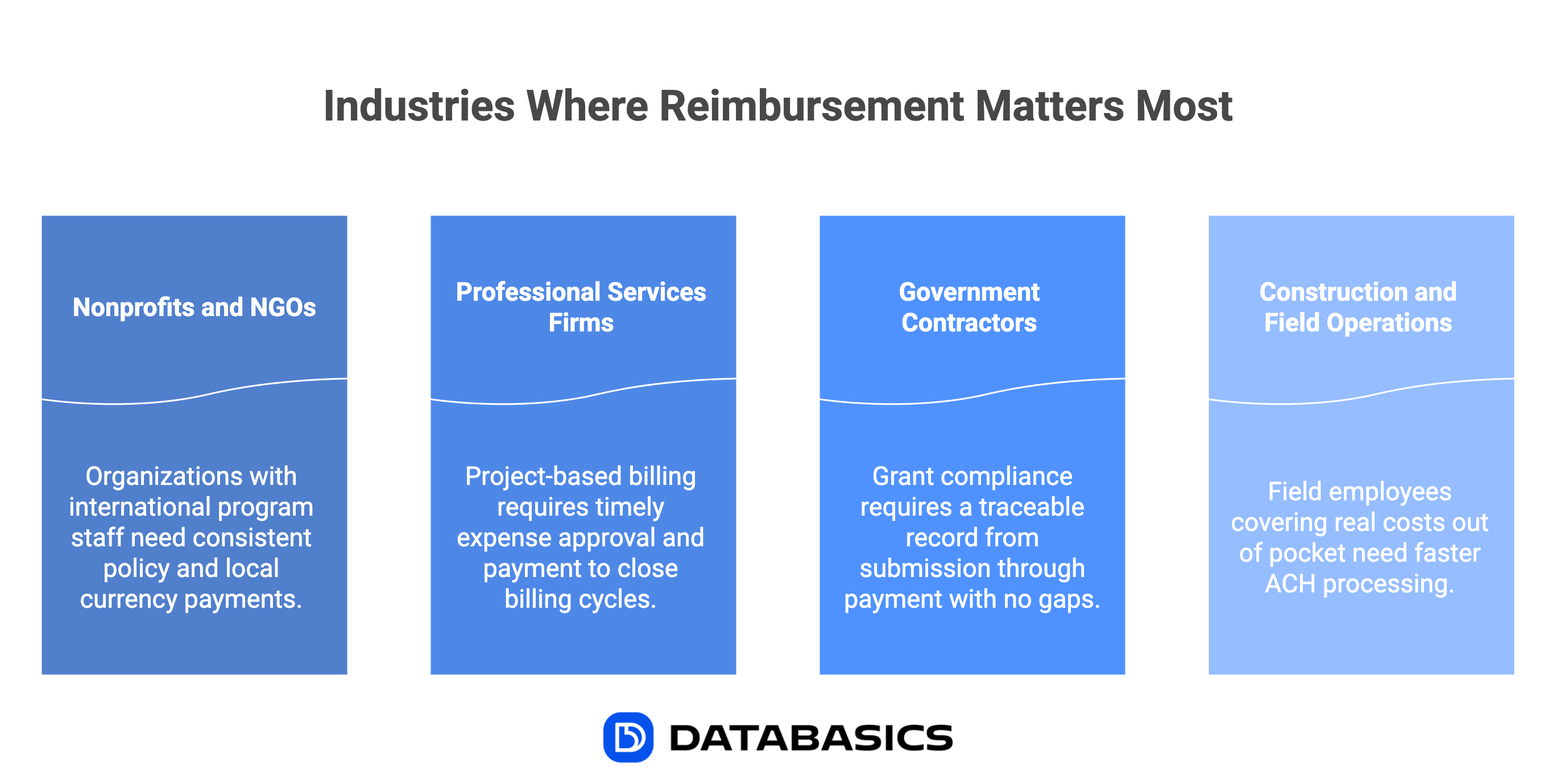 The value is general, but a few specific contexts make it especially clear:
Nonprofits and NGOs with international program staff
Organizations running programs in multiple countries often have staff incurring expenses in currencies well outside USD and CAD. Keeping reimbursement policy consistent across those geographies while actually paying people in their local currency has traditionally required either a local treasury setup or a different tool for each region. TransferMate's 200+ country coverage—accessed through the same DATABASICS interface used for domestic reimbursements—replaces that patchwork.
Professional services firms with project-based billing
When expenses are billed back to clients, the time between expense approval and payment matters for more than employee satisfaction. Expenses sitting in a manual payment queue are expenses that haven't been coded, confirmed, and invoiced. Closing that lag directly affects billing cycles.
Government contractors and grant-funded organizations
Grant compliance requires a traceable record from submission through payment with no gaps. That's not difficult to produce when both happen in the same system. It's considerably harder when the approval is in an expense platform and the payment was initiated through a separate bank portal by someone who may no longer be on the team.
Construction and field operations
Field employees buying materials, fuel, or equipment on their own card are often covering real costs out of pocket. A two-week reimbursement wait isn't an inconvenience for them; it affects their finances. Faster ACH processing, triggered by approval rather than by someone's availability to process a batch, changes that dynamic.
A question worth asking in any evaluation
When reviewing expense management options—or pressure-testing what your current platform actually does—one question cuts to the core of the architecture difference:
"After an expense is approved, what happens next and does your platform handle it, or does someone on your finance team?"
If the answer involves an export file, a portal login, or a step someone has to remember to do, you have a gap. The approval side of the workflow is automated; the payment side isn't.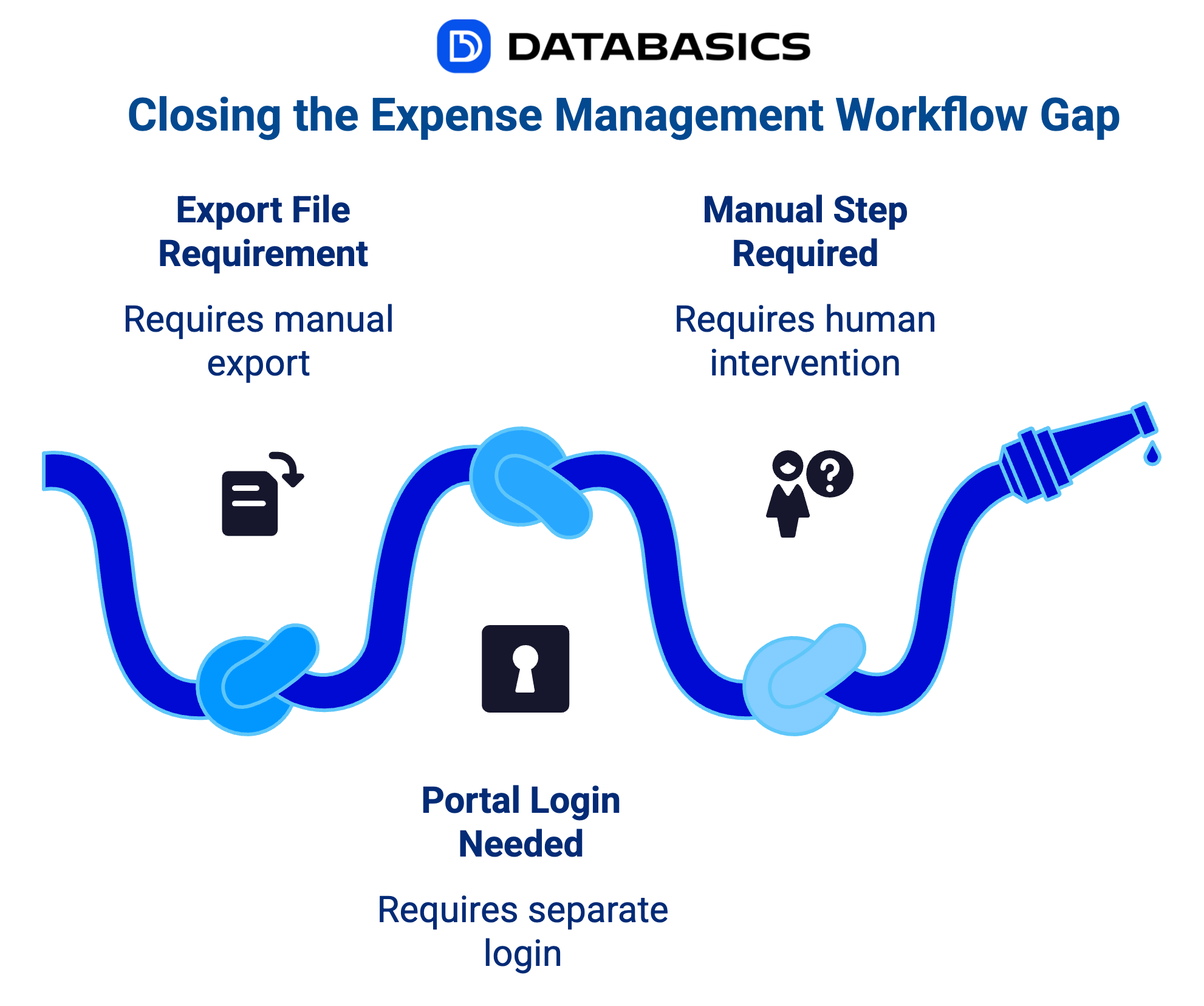
In DATABASICS, approval triggers payment in USD or CAD via ACH for North American employees, and in local currency via TransferMate for everyone else. The full record, from submission through payment, lives in one place. No manual handoff, no separate reconciliation.
Frequently asked questions
Does DATABASICS support ACH reimbursements for both U.S. and Canadian employees?
Yes. DATABASICS Expense supports ACH reimbursements in USD for U.S.-based employees and CAD for Canadian employees, processed directly from within the platform. No manual export or separate banking portal is required. Both currencies are handled through the same approval-to-payment workflow.
How does DATABASICS handle international employee reimbursements?
DATABASICS integrates directly with TransferMate, a global B2B payments infrastructure that covers 200+ countries and 140+ currencies, backed by 92 regulatory licenses. Employees outside the U.S. and Canada receive reimbursements in their local currency, initiated from within DATABASICS without a separate payment system or banking workaround.
What is the payment gap in expense management?
The payment gap is the disconnect between expense approval and actual reimbursement execution. Most expense platforms handle submission, policy validation, and approval, but require finance teams to manually export data, access a separate bank portal, and initiate payment themselves. DATABASICS closes this gap by executing payment directly within the platform upon approval.
What is TransferMate and why does DATABASICS use it for international payments?
TransferMate is a leading global B2B payments infrastructure provider founded in 2010, with 92 regulatory licenses across 200+ countries. Unlike traditional correspondent banking—which routes international transfers through multiple intermediary banks, adding fees and delays at each step—TransferMate operates its own local payment accounts in markets globally. This eliminates intermediary banks, reduces FX costs, and accelerates settlement. DATABASICS integrated TransferMate to give customers a single payment system for both domestic and international employee reimbursements.
Does DATABASICS require separate tools for domestic and international reimbursements?
No. DATABASICS manages ACH payments for U.S. and Canadian employees and global payments via TransferMate from a single unified platform. Finance teams access one system, one audit trail, and one reconciliation view, regardless of where the employee being reimbursed is located.
Which industries benefit most from DATABASICS's payment architecture?
Organizations with distributed or international workforces, project-based billing, or compliance-heavy environments see the greatest benefit. This includes nonprofits and NGOs with global program staff, professional services firms billing expenses to clients, government contractors operating under grant compliance requirements, and construction or field services companies with mobile employees incurring frequent out-of-pocket expenses.
See how reimbursement works end to end
Talk to our team about how DATABASICS connects expense approval to employee payment for every employee, in every currency.
Request a demoSources: Business Travel News; Expense Management Trends Report 2025; Deloitte Survey 2025; Nacha ACH Payments Fact Sheet 2025; Plaid ACH Payments Guide (Same-Day ACH volume data); TransferMate company information; DATABASICS-TransferMate partnership announcement.
All third-party statistics are cited as published. DATABASICS makes no representation regarding the methodology of third-party research cited herein.

Best DCAA timesheet software for government contractors (2026)
Read Now
Expense Reporting Compliance: Policy to Audit Trail
Read Now
From Timesheet to Audit Trail: Building Compliance Into Time Reporting
Read Now
Dynamics GP to Business Central Migration: What Happens to Your Timesheets and...
Read Now
Unify Timesheets and Expenses to Speed Project Billing
Read Now
Evaluating NetSuite? Five Timesheet and Expense Reporting Questions to Ask...
Read Now