


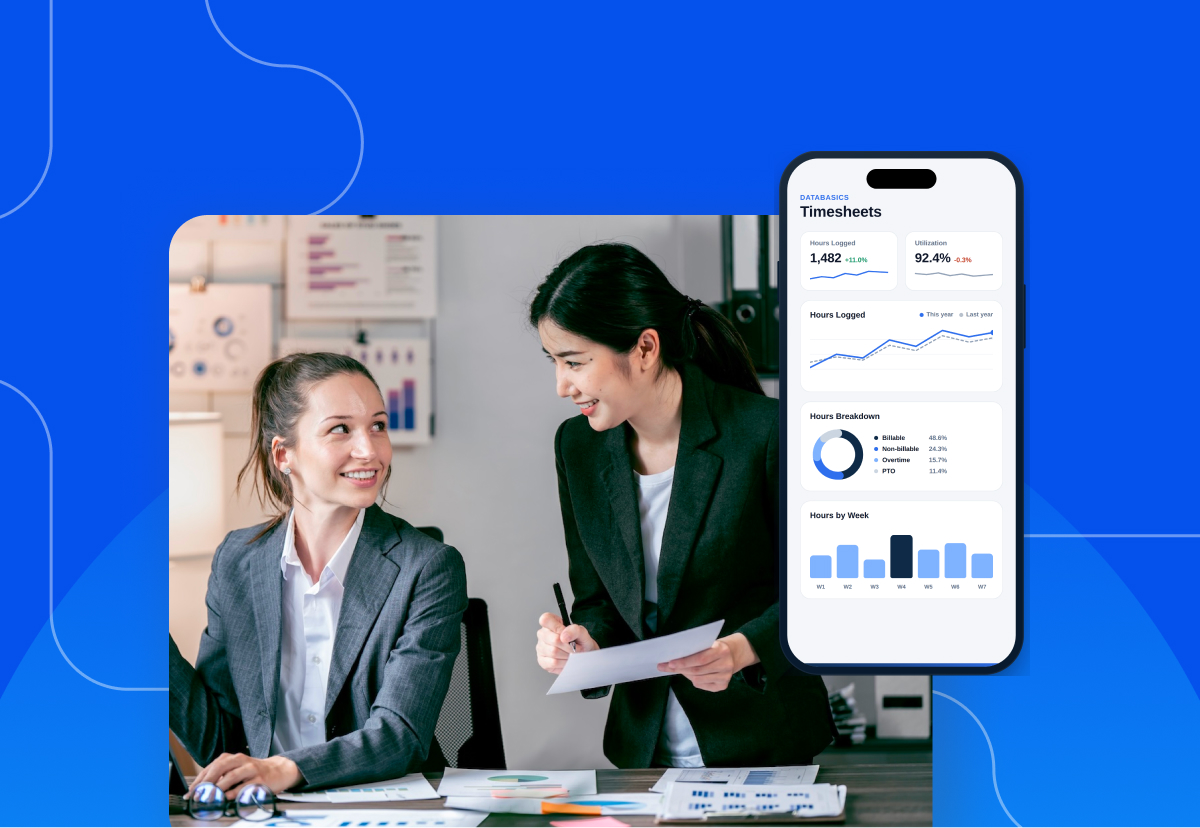


HR managers are accountable for data integrity, yet the work has moved away from the desk. When your field crews, hybrid staff, and traveling employees use email threads or paper forms for leave, time, and expenses, the consequence lands on your desk during month-end close.
Field crews, hybrid staff, and traveling employees still need to request time off, log hours, and turn in receipts. Many do it through email threads, paper forms, or a desktop portal nobody bothers to open. That gap comes with a cost. It shows up as late payroll corrections, missed accrual balances, and reimbursement disputes that land on your desk during month-end close.
The right mobile tools for HR managers close the gap without adding another login to anyone’s day.
What Separates a Useful HR Mobile Tool From a Downloaded App
Most vendors ship a mobile app and leave you to manage the fallout. DATABASICS applies a Service as Software approach: we implement with you, adapt the configuration to your specific policy logic, and support your team as requirements change. A mobile tool is only as useful as the implementation behind it; far fewer vendors deliver an app that employees actually use without being reminded.
The difference comes down to four traits. Miss any one of them and adoption stalls.
It works without a signal. Construction sites, rural clinics, and international field offices lose connectivity constantly. A tool that queues entries offline and syncs on reconnect keeps data flowing. A tool that throws an error loses the entry entirely.
It requires almost no typing. Every required field on a phone screen is a reason to postpone. Good tools pre-populate from card feeds, GPS, and prior entries.
It writes back to a system of record. An app that stores data in its own silo just moves the reconciliation problem to a new place. Approved data has to reach payroll and accounting on its own.
It handles approvals as well as submissions. Managers travel too. If your director of operations cannot approve a leave request from an airport, the queue backs up behind one person.
When Icon PLC rolled out DATABASICS, they secured the result every vendor promises but few deliver: an implementation that actually accounts for their specific global requirements. As they noted, 'The software is intuitive for our employees across the globe, and because the team helped us tailor the configuration, training needs were minimal.'
That is the adoption bar worth holding every vendor to.
Mobile Leave and PTO Request Tools
Leave is where HR feels mobile friction first. Requests arrive by text, Slack, and hallway conversation, then live in a manager’s inbox until someone remembers to record them.
A good mobile leave tool lets an employee check a balance and submit a request in under a minute. It also shows the manager who’s already out that week before they tap approve.
Look for these capabilities specifically:
- Real-time accrual balances visible to the employee, so HR stops fielding "how many days do I have left" messages
- Calendar views at the individual, team, and organization level for coverage planning
- Configurable approval routing that escalates automatically when a primary approver is unavailable
- Policy variation support across vacation, sick time, comp time, parental leave, and jurisdiction-specific entitlements
- Payroll writeback so approved leave reaches ADP, UKG, Workday, or Paylocity without a manual export
DATABASICS PTO and leave management software handles all five capabilities, including accrual forecasting and FMLA-aligned policy configuration. Approved leave also populates the employee’s timesheet automatically, removing a reconciliation step most HR teams do manually.

Mobile Time Tracking Tools
Time tracking is the second mobile priority, and the one with the clearest financial consequence.Late or estimated timesheets create payroll corrections. Payroll corrections trigger off-cycle runs. Off-cycle runs end in the employee relations conversations HR managers would rather avoid.
Mobile time tracking fixes this by moving capture to the moment work happens. Field crews clock in from the job site. Consultants log project hours between client meetings. Supervisors approve on the spot.
The capabilities that matter most:
- Offline entry with automatic sync for crews working outside coverage areas
- Project, grant, and cost center coding available at the point of entry
- Automatic overtime calculation aligned to FLSA and state-specific rules
- Break tracking for meal-period compliance in states that mandate it
- Audit-ready records tied to each entry, with a full change history
DATABASICS time tracking software moves approved hours into payroll and ERP systems without a second entry. It is SOC 2 Type II certified, DCAA compliant, and GDPR compliant. HR teams at government contractors and international nonprofits answer to auditors who check for exactly that.
Mobile Expense Management Apps
Expense reporting is the mobile category HR managers inherit even when finance owns the budget. Employees ask HR why a reimbursement is late. HR asks finance. Finance asks for the missing receipt.Mobile expense apps break that loop at the source. The employee photographs the receipt at the table, and OCR pulls the vendor, date, and amount into a draft report.
Mileage deserves particular attention here. The IRS raised the 2026 standard business mileage rate mid-year, from 72.5 cents to 76 cents per mile effective July 1. That's up from 70 cents in 2025. A platform that updates the rate automatically prevents both taxable overpayment and underpaid employees.
What to require from an expense app:
- Receipt capture with OCR extraction that reads vendor, date, and amount
- Card feed integration that pre-populates transactions before the employee opens the app
- Policy validation at submission, so violations get flagged before approval rather than after
- Automatic mileage rate updates applied across every open report
- Multi-currency handling for organizations with international staff
DATABASICS expense reporting software enforces policy rules at the point of submission and updates published government rates within one to two business days. Time and expense sit on one platform with one login and one approval workflow, so employees learn a single tool.
How to Evaluate Mobile Tools for HR Managers Before You Buy
Every vendor demo looks good on a large screen. Run the evaluation on a phone instead.
Test it in airplane mode. Submit a leave request and a receipt with connectivity off. Turn it back on and confirm both synced cleanly.
Ask about the HRIS connection by name. Vague answers about supporting your existing systems are a warning sign. Ask if the integration to BambooHR, Workday, ADP, Dayforce, or Paylocity is prebuilt and who configures it.
Ask who owns implementation. A named implementation lead who owns configuration, testing, and go-live produces a different outcome than a help center link.
Check the support record. DATABASICS holds a 4.95 out of 5.0 customer support rating with US-based support responding in hours.
Confirm the ERP path. Approved data eventually has to reach finance. DATABASICS maintains native ERP and payroll integrations with NetSuite, Sage Intacct, Microsoft Dynamics 365, Deltek Costpoint, ADP, and others, each configured by a dedicated specialist.
Run those five checks and the list usually shortens itself.
Frequently Asked Questions
What are the most essential mobile tools for HR managers?
Mobile leave and PTO management, mobile time tracking, and mobile expense capture. These three cover the highest-volume employee transactions HR touches. Add an HRIS self-service app and a secure document signing tool once those three are stable.
Do HR mobile apps work without an internet connection?
The good ones do. Look for offline entry that queues submissions locally and syncs automatically when connectivity returns. Field crews, international teams, and traveling staff need this. Without it, adoption drops.
How many separate mobile apps should employees have to use?
As few as possible. Every additional app means another login, another training session, and another support queue. A unified platform covering time, leave, and expense in one app removes most of that overhead.
Will a mobile HR tool integrate with our existing payroll system?
It depends on the vendor. DATABASICS integrates with ADP, UKG, Workday, Paylocity, APS, and BambooHR, along with ERP platforms including NetSuite, Sage Intacct, and Microsoft Dynamics 365. Ask any vendor to name your specific system and describe whether the connection is prebuilt or custom.
How do mobile tools help with leave compliance?
They enforce policy at the point of request rather than during an audit. The system applies the correct accrual rules, entitlement caps, and jurisdiction-specific requirements automatically. Every request and approval carries a timestamped record.
Getting the Mobile Stack Right
The mobile tools for HR managers that survive past the first quarter share one trait: employees use them without being reminded. That happens when capture takes seconds, approvals happen anywhere, and approved data reaches payroll and finance on its own.
Request a demo to see how DATABASICS handles leave, timesheets, and receipts from one mobile app.
If you are still building the internal case, start with our guide to 10 best practices for mastering leave management.
There’s a New Chief at Work: How AI Changes Compliance
Read Now
Best expense management software for construction field crews (2026)
Read Now
Timesheets and Expense Reporting Software: The Top Questions We Hear From Buyers
Read Now
Best DCAA timesheet software for government contractors (2026)
Read Now
Expense Reporting Compliance: Policy to Audit Trail
Read Now
From Timesheet to Audit Trail: Building Compliance Into Time Reporting
Read Now
