




This article is for informational purposes only and does not constitute legal, financial, or compliance advice. Requirements vary by jurisdiction, contract type, and workforce composition.
Managing remote timesheets is rarely a problem of will. Employees want to log their hours accurately, managers want to approve quickly, and finance teams want clean data for payroll and billing. The friction shows up when the system asking for that information is fragmented, when policy is unclear, or when the tool sits outside the rest of the finance stack.
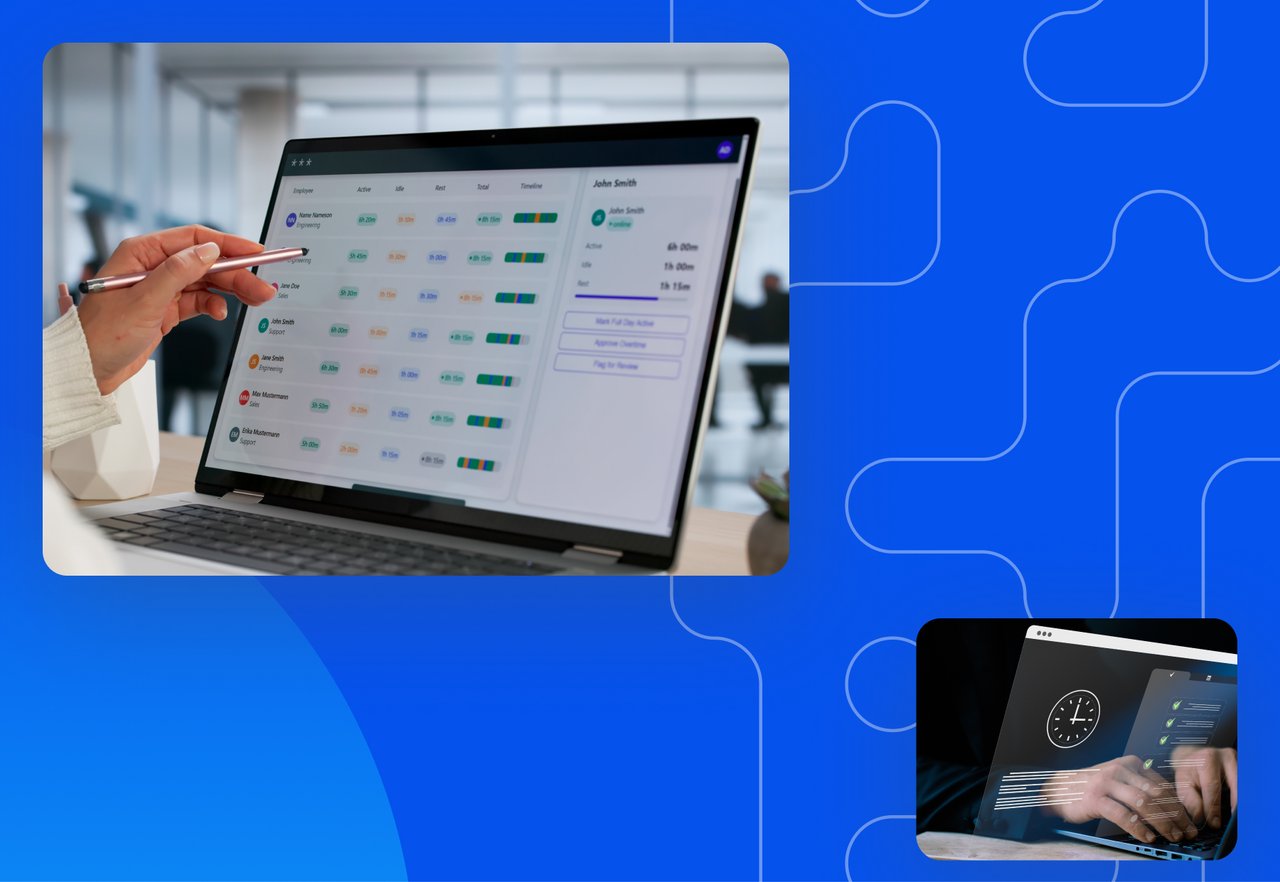
Remote timesheet management is the operational system that closes those gaps. It combines a written policy, software that captures hours where work happens, approval workflows that move on schedule, and integrations that send approved data into payroll and ERP without re-keying. This guide covers what changes when a workforce is distributed and how to put each piece in place.
DATABASICS helps organizations manage remote, hybrid, field, and project-based time tracking with mobile entry, approvals, project and grant allocation, compliance-focused controls, and integrations into finance systems.
Why Remote Timesheet Management Is Its Own Discipline
Remote work has settled into a stable share of the U.S. labor market. According to the U.S. Bureau of Labor Statistics, roughly 34.6 million Americans worked remotely in August 2025, putting the national telework rate at 22.1%. That share has held between 17.9% and 23.8% since the BLS began tracking it in October 2022.
Distributed work changes the role of the timesheet. In an office, managers see who is at their desk and informal cues fill in the rest. When that signal disappears, the timesheet becomes the primary record of when work happened, where it was performed, and how it should be billed.
Remote teams also operate across multiple state jurisdictions. An employee in California, Colorado, or New York triggers different meal, rest break, and overtime rules than an employee in Texas. The timesheet has to keep track of those distinctions automatically, or finance ends up maintaining a spreadsheet of jurisdiction rules and reconciling by hand.
That creates new pressure on the process. Employees may work across states, time zones, projects, client sites, or grant-funded programs. If the timesheet does not capture the right details at the point of entry, finance teams often have to fix missing hours, unclear cost codes, late approvals, or jurisdiction-specific rules by hand.
Start With Policy, Not Software
The most common rollout mistake is selecting a tool before the policy is written. The tool gets configured to whatever defaults exist, exceptions accumulate, and the system becomes harder to use with every passing month. Writing the policy first lets software configuration follow real decisions rather than accidental ones.
A workable remote timesheet policy answers a few specific questions. What counts as work time for asynchronous employees, including meetings, training, and on-call coverage? Do employees enter time daily or weekly? Who approves, on what schedule, and what happens when an approver is unavailable? How are exceptions handled when a project transfers mid-week or when leave overlaps with billable work?
Written timekeeping policies help employers create a repeatable process for capturing compensable time for nonexempt employees, including remote work, training, travel, on-call time, and other situations where hours-worked rules may apply. Under FLSA recordkeeping guidance, employers must keep accurate records of hours worked each day and total hours worked each workweek for nonexempt employees. Written policies make that process easier to apply consistently across remote and distributed teams.
A useful remote timesheet policy should answer:
- Do employees enter time daily, weekly, or by shift?
- Which employees must track meal periods, breaks, overtime, travel, training, or on-call time?
- Which projects, clients, grants, jobs, or tasks must be selected?
- Who approves time, and what is the backup approval path?
- Which payroll, billing, ERP, or reporting systems receive approved time?
What to Look For in Remote Timesheet Software

Once policy is in place, the software has to enforce it without making employees fight the tool every week. A few capabilities separate timesheet software built for remote work from products that simply moved an in-office workflow online.
Mobile capture with offline entry matters more than feature comparisons suggest. Remote employees travel, work from client sites, and lose connectivity at the worst moments. A mobile app that captures hours in the moment and syncs when the device reconnects produces far more accurate data than end-of-week recall. End-of-week recall increases the risk of incomplete or inaccurate time entries.
Project, client, and grant allocation matters for any organization that bills clients or tracks project cost. Hours without a cost code cannot be billed or charged against the right budget. DATABASICS Time Tracking supports allocation of hours to projects, tasks, clients, and grants in a single entry, so the same timesheet serves payroll, billing, and project accounting at once.
Approval workflows should match how distributed teams actually make decisions, with multi-level routing, conditional rules for billable hours and overtime, and automatic escalation when an approver is slow to respond. Geo-fencing extends the system to hybrid and field teams; the Time Clock In/Out capabilities in DATABASICS turn arrival and departure into automatic clock events, eliminating buddy-punching and producing an audit-ready record of where work occurred. Geo-fencing can help reduce buddy-punching by tying clock events to location controls
Compliance Across a Distributed Workforce
Compliance does not relax when a workforce goes remote. In most organizations it gets harder, because employees now sit under several different state regimes inside the same payroll run.
The federal baseline is FLSA recordkeeping. Per Department of Labor Fact Sheet #21, employers must capture daily and weekly hours for nonexempt employees, retain payroll records for at least three years, and retain wage computation records (including time cards) for at least two. State labor rules sit on top of that baseline and vary significantly across meal periods, rest breaks, overtime thresholds, and pay statement requirements. DATABASICS Meals & Breaks Tracking is built to handle state-by-state differences without manual workarounds.
Government contractors carry an additional layer. Defense Contract Audit Agency timekeeping standards require daily time entry, employee certification, supervisor approval, full audit trails, and labor distribution by contract. DATABASICS supports DCAA-compliant time tracking for distributed government contractor teams.
Connecting Timesheets to Payroll, Billing, and ERP
A standalone timesheet captures part of the value. The rest comes from where the data flows next. When approved hours move automatically into payroll, project accounting, and the general ledger, finance teams stop spending the back half of every pay period reconciling between systems.
DATABASICS provides certified integrations with Sage Intacct, Oracle NetSuite, the Microsoft Dynamics family (365 Finance & Operations, Business Central, GP, NAV, SL, and AX), ADP, and SAP, so approved hours flow into the downstream system without re-keying. That coverage takes the integration question out of the buying decision.
Rolling Out a New Timesheet System Without the Pushback
Employees push back on time tracking when it feels like surveillance. They accept it when it feels like infrastructure. The difference is usually in how the rollout is communicated, not in the tool itself.
A good rollout starts with the why. Employees who understand that the system enables faster payroll, cleaner project billing, and protection in audit situations engage with it as a service rather than treat it as oversight. Phased rollouts also work better than enterprise-wide launches. Running the first sixty days with one team surfaces configuration gaps, refines the policy, and produces internal advocates for when the system expands.
Manager training is the variable most often underestimated. Approvers are the bottleneck in nearly every remote timesheet system. When managers approve on schedule and follow up on exceptions, the system runs itself. Train the approvers first, and the rollout becomes easier to manage.
When Is DATABASICS a Good Fit for Remote Timesheet Management?
Choose DATABASICS when your organization needs more than a basic online timesheet. DATABASICS is a stronger fit for teams that need remote or hybrid time capture, project or grant allocation, approval workflows, payroll and ERP integration, and compliance-focused records for finance, billing, or audit use.
Consider another approach when your team only needs a simple weekly timesheet, has no project costing or compliance complexity, does not need payroll or ERP integration, or is not ready to define timekeeping policies before implementation.
Common alternatives buyers compare against include spreadsheets, payroll-native time entry, ERP-native time modules, standalone time clock tools, project management time logs, and point solutions for field teams.
The key tradeoff is configuration. A system like DATABASICS is most useful when the organization is ready to define policies, approver roles, cost codes, integration requirements, and reporting needs before rollout.
Frequently Asked Questions
Are remote workers required to fill out timesheets?
Nonexempt remote employees are subject to the same FLSA recordkeeping requirements as on-site workers. Per U.S. Department of Labor Fact Sheet #21, employers must capture all hours worked by covered employees regardless of where the work happens. Whether exempt employees track time is a matter of company policy.
How long do you have to keep remote employee timesheet records?
Under the FLSA, employers must retain payroll records for at least three years and wage computation records (including time cards) for at least two years, per Department of Labor Fact Sheet #21. State law sometimes requires longer retention. Automated systems retain these records by default.
Can a remote timesheet system meet DCAA compliance?
Yes, provided the system supports daily time entry, employee certification, supervisor approval, full audit trails on changes, and labor distribution by contract. DATABASICS provides DCAA-compliant time tracking designed for distributed government contractor workforces.
What should remote timesheet software connect to?
For finance teams, remote timesheet software should connect to payroll, billing, project accounting, ERP, and reporting systems where approved hours are used.
Is DATABASICS good for remote and hybrid teams?
DATABASICS is a fit for organizations that need mobile time entry, approvals, project or grant allocation, time clock options, meals and breaks tracking, and integration with downstream finance systems.
Can DATABASICS support government contractors?
DATABASICS supports time tracking for distributed government contractor teams. Specific DCAA requirements should be confirmed against the organization’s contract and compliance needs.
What causes remote timesheet problems?
Common issues include unclear policy, late entries, missing cost codes, slow approvals, disconnected payroll or ERP systems, and different state rules for distributed employees.
Bringing It Together
Remote timesheet management works best when policy, software, approvals, compliance, and integrations are treated as one operating system. The goal is not just to collect hours. The goal is to create accurate payroll, clean project costs, faster approvals, and records that can stand up to review.
Remote timesheet management is an operational system rather than a software purchase. Organizations that get it right write the policy first, choose software that enforces it without fighting the workforce, stay current on FLSA and state compliance, integrate the data into payroll and ERP, and lead the rollout with managers. The result is clean payroll, accurate project costs, and audit-ready records.
DATABASICS helps organizations manage remote and hybrid time tracking with configurable workflows, project and grant allocation, compliance-focused features, and integrations into downstream finance systems. Book a demo to see how DATABASICS can support your timekeeping policy, approval process, and integration requirements. Book a demo to see how it works.
Best DCAA timesheet software for government contractors (2026)
Read Now
Expense Reporting Compliance: Policy to Audit Trail
Read Now
From Timesheet to Audit Trail: Building Compliance Into Time Reporting
Read Now
Dynamics GP to Business Central Migration: What Happens to Your Timesheets and...
Read Now
Unify Timesheets and Expenses to Speed Project Billing
Read Now
Evaluating NetSuite? Five Timesheet and Expense Reporting Questions to Ask...
Read Now
