


Clock In/Out GPS Spoofing Detection and Audit Guide
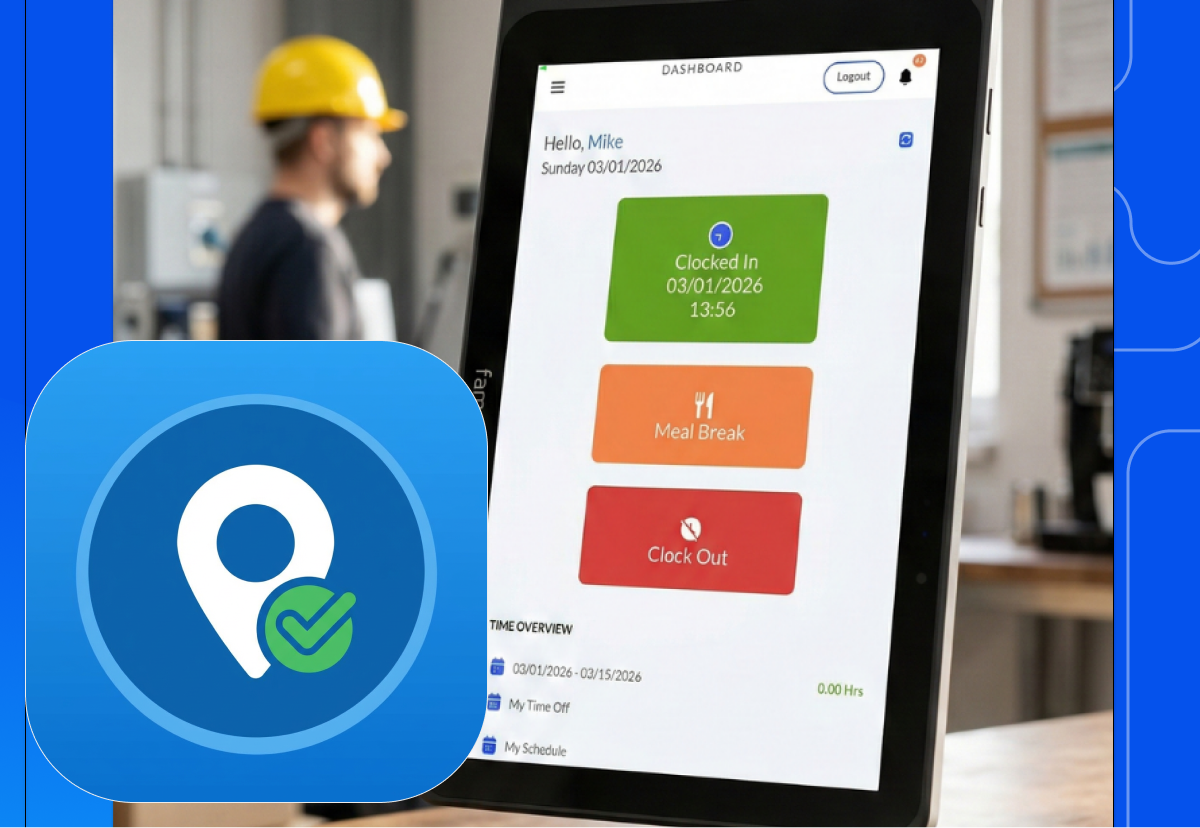


This is a complete Clock In/Out GPS Spoofing guide for HR teams, workforce managers, and operations analysts, combining practical audit workflows, technical detection methods, and organizational best practices. Learn more about how DATABASICS Time Tracking helps solve this issue through combining time tracking software with shared rugged time clock tablets.
1 What Is GPS Spoofing in Time Tracking?
GPS spoofing is when a device reports a falsified location. In mobile clock-in and clock-out systems, spoofed coordinates can undermine location-based verification, making an employee appear on-site when they are not.
"GPS spoofing occurs when an employee uses software or device settings to fake their location while clocking in or out on a mobile time clock." OpenTimeClock
GPS jamming blocks signals and causes obvious system failures; in contrast, spoofing is silent and deceptive. The receiver continues functioning and reporting data, while the system has no automatic way to know that data is fabricated. According to Build38:
"Unlike GPS jamming, which blocks signals and renders GPS unusable, spoofing manipulates the receiver's data, making it appear as though it is operating correctly while actually providing false information."
Common Spoofing Methods
| Vector | Description | Skill Required |
|---|---|---|
| Mock location apps | GPS spoofing apps via Android Developer Options | None |
| VPN / Proxy networks | Network rerouting to defeat IP-based geolocation | None |
| Emulators / simulators | Fake device environments used to script punches | Low |
| Tampered app builds | Modified APKs that bypass location checks in-app | High |
| Rooted / jailbroken devices | OS-level overrides that defeat app-layer detection | Medium |
| Travel routers / cloud servers | Hardware relays to simulate a remote location | Medium |
| Remote desktop takeover | Using a device already located at the job site | Medium |
| Instrumentation tools | Runtime hooks (e.g., Frida) intercepting location APIs | Expert |
2 Why This Problem Is Growing
GPS spoofing for attendance fraud is no longer rare, niche, or theoretical. It is an active, documented, and growing problem across remote-work, hybrid, and field service environments.
The Financial Stakes
- Time theft costs U.S. employers an estimated $400 billion per year in lost productivity. (EPAY Systems, citing The Kentucky CPA Journal)
- 74% of employers experience payroll losses related to buddy punching, averaging 2.2% of gross payroll. (EPAY Systems, citing Nucleus Research)
- The average employee steals 4 hours and 5 minutes per week. (American Payroll Association, via EPAY Systems)
- Time theft can cost a company 7% of gross annual payroll. (HQ Platform)
Corporate Detection Is Accelerating
"Location spoofing is no longer theoretical. Companies are detecting such cases through compliance audits, security reviews, and client checks rather than active surveillance. Many employees underestimate how much data is captured." Amit Rahane, Partner, EY Forensic & Integrity Services, Economic Times
A documented real-world example: An MNC employee was terminated after using a travel router configured to a cloud-based server to make it appear he was working from the U.S. while actually abroad, detected through compliance audit and IP log analysis.
3 How Employees Fake Their Location
Understanding the attack surface is prerequisite to defense. These are the most common methods, ranked by prevalence and ease of execution.
Method 1: Android Developer Mode + Mock Location Apps
The most common method. No technical skills required.
- Employee enables Settings → Developer Options on their Android device
- Selects a fake GPS app as the "Mock location app" provider
- Sets coordinates to the job site or office
- Opens the time-tracking app and clocks in from anywhere
Method 2: VPN and Proxy Servers
VPNs mask the device's IP address, defeating IP-based geolocation checks. While this doesn't directly spoof the GPS chip, it defeats network-layer location verification, and is often combined with mock GPS apps for dual-layer deception. According to Incognia:
"Using a VPN to manipulate your IP region is another example of location spoofing, one that targets IP-based location instead of GPS."
Method 3: iOS GPS Spoofing Tools
iOS is more locked down, but not immune. Available techniques include desktop tools, jailbroken devices with system-level coordinate overrides, and other tools that require developer access.
Method 4: Rooted or Jailbroken Devices
Root/jailbreak access grants administrator privileges that can override GPS data at the OS level, bypassing app-layer checks entirely.
Method 5: Remote Desktop Takeover
The employee uses remote control software to operate a device physically located at the real job site, then clocks in "through" it. According to Bureau:
"Some fraudsters don't even need to manipulate their location, they rely on remote desktop software like TeamViewer or AnyDesk to take control of devices that are legitimately in the desired location.",
Method 6: Travel Routers and Cloud Servers
Hardware relays that tunnel all device traffic through a remote server located in the "correct" region, making IP, DNS, and network metadata all appear legitimate.
Method 7: App Tampering and Runtime Instrumentation
Advanced attackers use tools like Frida to hook into the time-tracking app at runtime, intercepting the location API call and substituting a fake value before the app's own detection code can evaluate it.
4 Data Fields That Enable Audit
Before you can detect spoofing, your system needs to capture the right data. Every mobile clock-in record should include at minimum:
| Field | Description | Why It Matters for Audit |
|---|---|---|
| Employee ID | Unique worker identifier | Links all records to a person |
| Event Date | Date of the shift | Enables temporal analysis |
| Time In | Clock-in timestamp (with timezone) | Enables speed/distance computation |
| Time Out | Clock-out timestamp | Required for elapsed time calculations |
| Latitude In / Longitude In | GPS coordinates at clock-in | Core location data |
| Latitude Out / Longitude Out | GPS coordinates at clock-out | Enables movement checks |
| GPS Accuracy Radius | Reported precision (meters) | Flags stale fixes and spoofed "perfect" accuracy |
| Location Provider | GPS / Wi-Fi / Cell / Fused | Reveals what signal was used |
| Mock Location Flag | OS-reported boolean | Direct spoofing indicator |
| IP Address | Network address at punch | Enables VPN/geolocation cross-check |
| Device ID / Fingerprint | Hardware or app-level device ID | Detects shared or emulated devices |
| OS Version / App Version | Platform metadata | Helps filter known OS-specific bugs |
Store raw latitude/longitude at sufficient precision, decimal(9,6) or better, and original timestamps. Avoid rounding during ingestion. Normalize timezones during processing; preserve raw local time fields for auditability.
Why Coordinate Precision Matters
| Decimal Places | Precision | Notes |
|---|---|---|
| 2 | ~1.1 km | City-level only |
| 3 | ~110 m | Street-level |
| 4 | ~11 m | Typical smartphone GPS |
| 5 | ~1.1 m | Good field work |
| 6 | ~0.11 m | Sub-meter, high-accuracy GNSS |
A legitimate smartphone clock-in typically shows 4–5 decimal places of real variation. Exactly rounded coordinates (e.g., 38.8977, -77.0365 with zero decimal variation across 30 days) are a flag worth reviewing.
5 The Five Core GPS Spoofing Indicators
Each indicator below is a signal for human review, not automatic proof of fraud.
Indicator 1: Impossible Travel Speed Between Punches
A clock-in and clock-out pair where the GPS coordinates are so far apart relative to the elapsed time that no realistic transportation could account for the movement.
distance_miles = haversine(lat_in, lon_in, lat_out, lon_out)
elapsed_hours  = (time_out - time_in) / 3600
speed_mph      = distance_miles / elapsed_hours
The Haversine formula calculates great-circle distance between two lat/lon points on a sphere:
a = sin²(Δlat/2) + cos(lat₁) × cos(lat₂) × sin²(Δlon/2)
c = 2 × atan2(√a, √(1−a))
d = R × c   (where R = 3,959 miles or 6,371 km)
| Speed (mph) | Classification | Action |
|---|---|---|
| < 80 | Normal | No action |
| 80–120 | Possibly suspicious | Queue for review |
| > 120 | Likely anomaly | Priority review |
| Employee ID | Time In | Time Out | Distance (mi) | Speed (mph) | Review Status |
|---|---|---|---|---|---|
| 101 | 08:00 | 08:20 | 65 | 195 | Suspicious |
| 203 | 08:00 | 16:00 | 50.8 | 6.4 | Normal |
Adjust these thresholds for role and geography. A field sales technician driving between job sites may legitimately cover distance that a desk employee never would. Per-role thresholds prevent false positives.
Indicator 2: Long Distance in a Short Time (Or Long Distance at a Very Slow Speed)
A companion check to speed that directly flags records where elapsed time is short and distance is large.
- More than 30 miles traveled within 30 minutes
- More than 50 miles traveled within 60 minutes
| Employee ID | Minutes Worked | Distance (mi) | Review Status |
|---|---|---|---|
| 145 | 25 | 40 | Flag for Review |
| 211 | 480 | 10 | Normal |
However, the opposite pattern can also indicate an issue in a few cases, such as really long jumps stretched over a full shift at abnormally low average speeds for that route. This can be another hint the punches don't match real travel, so it might be worth considering how both “too fast” and “too slow for the distance/route” can be suspicious.
Indicator 3: Identical Coordinates for Clock-In and Clock-Out on Very Short Shifts or Very Precise Times
Clock-in and clock-out coordinates that are exactly identical on shifts shorter than ~10 minutes. This can indicate a stale GPS fix, manual or scripted clock-in/out, a spoofed static coordinate, or an instant punch (accidental or fraudulent).
| Employee ID | Time In | Time Out | Latitude | Longitude | Flag |
|---|---|---|---|---|---|
| 112 | 09:00 | 09:04 | 34.0531 | -118.2426 | Review |
| 118 | 13:00 | 13:05 | 34.0531 | -118.2426 | Review |
| 202 | 9:00:00 | 17:00:00 | 34.0531 | -118.2426 | Review |
| 86 | 9:01:41 | 17:03:07 | 34.0531 | -118.2426 | Normal |
If the job site is a fixed location (like an office or retail store), identical coordinates are expected and normal. Always whitelist known fixed-location sites before applying this rule.
In addition, check for rounded times (lots of :00 and :30 with .000) compared to the messy, organic timestamps you might expect. Real-world behavior usually produces variation—8:01, 8:07, 8:12 with milliseconds that don’t line up perfectly—because people get delayed by traffic, elevator waits, or simply tapping the app a few seconds earlier or later each day. A pattern of extremely “clean” timestamps, especially when it repeats over many days or across multiple employees, can indicate scripted activity, automated punching, or a spoofing tool triggering clock events on a fixed schedule rather than a human physically arriving and starting work.
Indicator 4: Invalid or Impossible Coordinates
| Field | Valid Range | Common Problem Values |
|---|---|---|
| Latitude | -90 to +90 | null, 0, 0.0, > 90 |
| Longitude | -180 to +180 | null, 0, 0.0, > 180 |
Records to review: missing/null lat or lon values; 0.0, 0.0 (the "null island" placeholder off the coast of Africa); out-of-range values; coordinates with fewer than 3–4 decimal places (may indicate manual entry or rounding).
Indicator 5: Multiple Employees Using the Exact Same GPS Coordinates
A spike of identical coordinates across several employees may indicate a legitimate shared job site (normal, must be whitelisted), a single spoofed coordinate being shared across a group, or buddy punching through a shared device or location relay.
| Event Date | Latitude | Longitude | Employee Count |
|---|---|---|---|
| Feb 12, 2025 | 38.8977 | -77.0365 | 7 |
| Feb 14, 2025 | 40.7128 | -74.0060 | 4 |
6 Audit Rules: Pseudologic and Thresholds
-- Rule 1: Impossible Speed (hard anomaly)
IMPOSSIBLE_SPEED: speed_mph > 120

-- Rule 2: Possible Speed (soft flag, review queue)
POSSIBLE_SPEED: 80 < speed_mph ≤ 120

-- Rule 3: Short shift with identical coordinates
SHORT_SHIFT_SAME_POINT:
  lat_in = lat_out
  AND lon_in = lon_out
  AND elapsed_minutes < 10

-- Rule 4: Invalid or missing coordinates
INVALID_COORDINATE:
  lat IS NULL OR lon IS NULL
  OR (lat = 0 AND lon = 0)
  OR lat > 90 OR lat < -90
  OR lon > 180 OR lon < -180

-- Rule 5: Shared coordinate cluster spike
SHARED_POINT_SPIKE:
  COUNT(DISTINCT employee_id) >= N
  at same (lat_rounded, lon_rounded)
  within a time window
  AND coordinate NOT IN whitelisted_sites
Tuning guidance: start with conservative thresholds and tighten as you calibrate false-positive rates. Apply per-role speed caps. Whitelist all known fixed job sites before running shared-point checks. Run against a 30-day historical baseline before deploying to production.
7 Sample Data Tables for Audits
Table 1: Raw Shift Records (Input to Analysis)
| EMP_ID | EVENT_DATE | TIME_IN | LAT_IN | LON_IN | TIME_OUT | LAT_OUT | LON_OUT |
|---|---|---|---|---|---|---|---|
| 101 | Feb 14, 2025 | 08:03 | 38.8977 | -77.0365 | 16:55 | 38.8979 | -77.0371 |
| 203 | Feb 14, 2025 | 07:58 | 40.7128 | -74.0060 | 16:12 | 40.7131 | -74.0058 |
| 145 | Feb 15, 2025 | 09:00 | 34.0531 | -118.2426 | 09:25 | 40.7128 | -74.0060 |
| 112 | Feb 15, 2025 | 09:00 | 34.0531 | -118.2426 | 09:04 | 34.0531 | -118.2426 |
Employee 145 shows a cross-country "move" in 25 minutes, a clear IMPOSSIBLE_SPEED flag. Employee 112 shows identical in/out coordinates on a 4-minute shift, a SHORT_SHIFT_SAME_POINT flag.
Table 2: Weekly Alerts Summary (Output to HR / Operations)
| Event Date | Alert Type | Record Count | Priority |
|---|---|---|---|
| Feb 15, 2025 | IMPOSSIBLE_SPEED | 3 | High |
| Feb 15, 2025 | SHORT_SHIFT_SAME_POINT | 2 | Medium |
| Feb 14, 2025 | INVALID_COORDINATE | 6 | Medium |
| Feb 14, 2025 | POSSIBLE_SPEED | 5 | Low |
| Feb 13, 2025 | SHARED_POINT_SPIKE | 1 | Medium |
Table 3: Speed-Tier Classification Summary
| Speed Tier | Range | Action | Typical Volume |
|---|---|---|---|
| Normal | < 80 mph | No action | ~95% of records |
| Review | 80–120 mph | Queue for manager review | ~4% of records |
| Anomaly | > 120 mph | Priority investigation | ~1% of records |
8 The Weekly Audit Workflow
A sustainable GPS audit program runs on a scheduled, recurring cadence, not ad-hoc crisis response.
What to Track Over Time
- Alert volume trends, a spike in IMPOSSIBLE_SPEED flags after a policy change may indicate an employee testing new spoofing methods
- False-positive rate, track how many flagged records turn out to be legitimate after review
- Repeat offenders, employees who appear in the review queue multiple weeks in a row warrant deeper investigation
- Device-level patterns, if the same device ID produces repeated anomalies, the device itself may be compromised
9 Layer-by-Layer Technical Detection Stack
The most effective GPS spoofing detection uses defense in depth, multiple independent verification signals that make comprehensive spoofing prohibitively difficult.
Layer 1: OS-Level Mock Location Detection
Android provides direct API access to detect if a location is being injected by a mock provider:
fun isLocationMocked(location: Location): Boolean {
    return if (Build.VERSION.SDK_INT >= Build.VERSION_CODES.S) {
        location.isMock           // Android 12+ (API 31), recommended
    } else {
        location.isFromMockProvider  // Android 11 and below
    }
}
val isDevMode = Settings.Secure.getInt(
    contentResolver,
    Settings.Global.DEVELOPMENT_SETTINGS_ENABLED, 0
) != 0
Limitation: on rooted devices, isFromMockProvider() can be bypassed. Layer 1 alone is insufficient, always combine with higher layers.
Layer 2: GPS Signal Analysis
- Signal strength anomalies: legitimate satellite signals have consistent, characteristic power levels
- Timing inconsistencies: spoofed signals frequently fail to align precisely with satellite atomic clock timing
- Direction of arrival: real GPS signals come from multiple satellites in different sky positions; spoofed signals often originate from a single point
- Multi-frequency discrepancies: attackers struggle to replicate all frequencies (L1, L2, L5) accurately
Layer 3: Multi-Signal Cross-Reference (Sensor Fusion)
| Signal Source | What It Provides | Spoofing Difficulty |
|---|---|---|
| GPS | Satellite-based coordinates | Easy to fake (apps available) |
| Wi-Fi SSIDs/BSSIDs | Nearby router identities → location | Hard (requires local network knowledge) |
| Cell Tower IDs | Carrier tower → approximate area | Hard (requires real network access) |
| Bluetooth beacons | Indoor micro-location | Very hard |
| IP Geolocation | ISP-registered region | Medium (VPN defeats this) |
If GPS says "New York" but Wi-Fi networks, cell towers, and IP all say "Chicago," the GPS is almost certainly spoofed.
Layer 4: Motion Sensor Validation
Every smartphone has accelerometers and gyroscopes that measure physical movement independently of GPS. If GPS shows the device traveling from home to job site (5-mile drive) but the accelerometer shows zero motion during that period, GPS is fabricated. If GPS shows an "instantaneous teleport" across 200 miles, it is physically impossible regardless of what GPS reports.
Layer 5: IP Intelligence and VPN Detection
Cross-reference the IP address at clock-in against known VPN provider IP ranges, commercial proxy server databases, Tor exit node lists, and geographic IP databases. A clock-in from GPS coordinates showing "downtown Los Angeles" but from an IP address registered to a server in Mumbai is a clear multi-layer inconsistency.
Layer 6: Device Fingerprinting and Integrity
Assign and track a unique fingerprint for each enrolled device based on hardware identifiers (IMEI, MAC address, device model), software configuration (OS version, installed apps), build information, carrier PLMN, and time zone/language settings.
Flags to watch for: device fingerprint changes unexpectedly between shifts; time zone doesn't match GPS-reported coordinates; device reports as an emulator; root or jailbreak indicators present.
Layer 7: Behavioral AI/ML Pattern Analysis
- Clock-in precision too perfect, humans naturally vary ±5–15 minutes; machine-triggered punches are ±0–30 seconds
- Location jumps inconsistent with commute patterns
- GPS accuracy radius suspiciously perfect, a legitimate GPS fix varies; a spoofed static coordinate may show accuracy = 0 meters
- Route paths show perfectly straight lines, real-world travel involves turns, stops, and detours
10 Behavioral Red Flags Beyond the Data
Technical detection catches the data layer. Human observation catches patterns that data alone misses.
Time-Entry Behavioral Flags
| Observation | What It May Suggest |
|---|---|
| Clock-ins at perfectly identical times daily | Automated script or scheduled spoofing app |
| Maximum hours reported consistently every week | Padding hours with fabricated location |
| Unusual overtime pattern starting immediately after policy change | Employee testing workaround |
| Multiple team members reporting identical hours | Coordinated fraud or shared spoofing tool |
| Supervisor field report contradicts GPS record | Employee not where clock-in indicates |
Device and Network Behavioral Flags
| Observation | What It May Suggest |
|---|---|
| VPN active at every clock-in | Systematic IP masking |
| GPS coordinates never vary even slightly | Static injected coordinate |
| GPS accuracy radius always exactly 0 m | Spoofing app artifact |
| Device fingerprint changed between shifts | Device swap or emulator |
| Clock-in IP address from VPN provider range | Network-layer deception |
Productivity and Output Flags
| Observation | What It May Suggest |
|---|---|
| Customer complaints about missed visits | Employee not at claimed location |
| Deliveries not completed during claimed shift | Location fraud for field workers |
| Work outputs inconsistent with hours claimed | Not working during claimed time |
| Badge/physical access log contradicts GPS | Employee not physically at site |
11 Prevention Strategies for Organizations
Strategy 1: Require Multi-Signal Convergence for Clock-In Acceptance
Don't accept a clock-in based on GPS alone. Require convergence from at least two or three independent signals: GPS within geofence, Wi-Fi SSID matching known site network, IP address not flagged as VPN/proxy, and motion sensor data consistent with recent travel.
Strategy 2: Add Biometric Identity Verification
GPS shows you the where while biometrics show you the who. Combine both GPS & biometrics as a best practice: selfie-at-clock-in with server-side geo-tagged timestamp (low-cost, effective deterrent).
Strategy 3: Enable OS-Level Mock Location Detection
Run isMock() / isFromMockProvider() on every location update. If Developer Mode is on, do not allow clock-in. Require root/jailbreak checks before any time-tracking session starts. Log every detection event—even when you allow the punch—to keep a complete, audit-ready record.
Strategy 4: Deploy Mobile Device Management (MDM)
For company-owned devices: prohibit Developer Mode, block known GPS spoofing apps via application blocklist, enforce device policy compliance (no root, no jailbreak, required app version) before time-tracking app launches, and remote-audit device settings to identify compromised devices in your fleet.
Strategy 5: Use Smart Geofencing with Anomaly Detection
Basic geofencing is easily defeated with mock GPS. Smart geofencing adds GPS accuracy radius validation, entry path correlation, altitude validation (most mock GPS apps don't accurately simulate altitude), and speed-on-entry validation.
Strategy 6: Automated Time Synchronization
Prevent device clock manipulation by regularly syncing with an external, authoritative time source such as a Network Time Protocol (NTP) server to ensure the device clock is always accurate.
Strategy 7: Physical Verification and Random Spot Checks
QR code check-ins at physical locations, random photo/selfie prompts during active shifts, manager field spot checks (randomized, not scheduled), and dual supervisor sign-off on timesheets before payroll processing.
Strategy 8: Establish and Communicate a Clear GPS Policy
The clearest deterrent is a transparent, enforced policy. Your employee handbook acknowledgement should cover: what data is collected, when collection occurs (work hours only), how it is used, what constitutes a violation, what the consequences are, and how data is retained and protected.
Strategy 9: Create a Risk Score & Short Audit List of Example Punches
One practical approach is to give each employee a simple 0–100 GPS risk score based on a few months of history, along with a short audit list of example punches (coordinates, distance, mph, & projects). When you bring this technology, data, and review process together, it becomes something your team can actually use to make fair, informed decisions.12 The GPS Spoofing Investigation Process
Phase 1: Data Collection and Scope
Pull the full GPS log for the employee and audit period. Collect corroborating data: physical access logs (badge swipes), site camera timestamps, supervisor field notes, Wi-Fi logs from on-site routers, IT/VPN logs, and payroll records. Run the full technical analysis: haversine speed checks, coordinate validity, sensor fusion cross-check, IP geolocation, device fingerprint history.
Phase 2: Context Review (Before Drawing Conclusions)
Before any HR action, review: role context, device history, system history (known GPS outages, app updates, OS changes), site context (poor GPS signal environments), and whether this is a one-time occurrence or a recurring pattern.
Phase 3: Technical Analysis Summary
| Check | Finding | Explanation |
|---|---|---|
| Haversine speed | 195 mph between punches | Exceeds IMPOSSIBLE_SPEED threshold |
| Mock location flag | is_mock = TRUE at punch time |
OS-reported direct indicator |
| IP geolocation | IP = Mumbai VPN / GPS = New York | Clear multi-layer inconsistency |
| Wi-Fi correlation | No site Wi-Fi networks detected | Device was not near the job site |
| Motion sensor | Zero accelerometer data during "commute" | Stationary device during claimed travel |
| Device integrity | Developer Mode enabled | Prerequisite for mock GPS apps |
Phase 4: Document and Preserve Evidence
Export all flagged records in their raw form (do not modify). Screenshot all system alerts and detection logs. Capture device fingerprint reports. Save the IT/VPN log excerpt. Preserve the full audit trail log, this is your evidence chain of custody.
Phase 5: HR and Legal Review
Consult HR and legal counsel before any employee-facing action. Verify policy acknowledgement. Check local law compliance (GDPR, CCPA, and state/national monitoring laws govern what data can be used for employment decisions). Calculate payroll impact.
Phase 6: Investigation Interview
Present findings factually, without accusation. Allow the employee to explain. Document all responses verbatim. Do not share exact detection methods in detail to prevent future evasion.
Phase 7: Outcome and Action
| Evidence Strength | Action |
|---|---|
| Ambiguous / single flag | Written coaching + policy re-acknowledgement |
| Clear first offense | Written warning + payroll correction + training |
| Repeat offense | Suspension without pay, final warning |
| Pattern of intentional fraud | Termination for cause |
| Significant financial fraud | Civil recovery or criminal referral |
13 HR Framework
Employers generally have broad authority to track employees during work hours, particularly on company-owned devices, when using company-provided applications, and when employees have acknowledged a written GPS monitoring policy.
Key legal principles include:
-
tracking must be limited to work hours and company activities;
-
employees must be informed in writing before tracking begins;
-
data must be handled per applicable privacy law (GDPR in EU, CCPA in California, and state-specific monitoring statutes);
-
off-hours tracking of personal devices creates significant legal exposure, so you should avoid it entirely.
Employee Consequences for GPS Spoofing
GPS location fraud can constitute wage fraud (accepting compensation for hours not worked), breach of employment contract, or violation of business conduct guidelines.
"The employee was subsequently interviewed by an internal investigator and was terminated for violating the company's business conduct guidelines by masking his actual work location." Economic Times
15 Policy and Audit Checklists
GPS Policy Checklist
- GPS tracking policy documented in employee handbook
- All employees have signed acknowledgement
- Policy specifies work hours only, no off-hours tracking
- Location spoofing / mock GPS explicitly prohibited
- Disciplinary consequences for violations defined
- Data retention period stated
- Privacy protections (who can access, how data is secured) explained
- Legal review completed for applicable jurisdictions
Technical Implementation Checklist
- Coordinates stored at
decimal(9,6)precision or better - Source metadata captured (OS, app version, location provider, mock flag)
- Timezone normalization in processing pipeline
- Coordinate validity checks at ingestion
isMock()/isFromMockProvider()implemented on every location update- Developer Mode detection active
- Root/jailbreak detection enforced
- Multi-signal cross-reference (GPS + Wi-Fi + Cell) enabled
- IP intelligence and VPN detection integrated
- Motion sensor validation enabled
- GPS accuracy radius validated and logged
- Automated time sync with NTP server active
- Full audit trail logging enabled for all clock events
- Whitelist of known job site coordinates configured
Audit Execution Checklist
- Weekly audit cadence established and scheduled
- All five core indicator rules implemented and tested
- Per-role speed thresholds calibrated
- False-positive rate baselined over 30-day historical data
- Review queue workflow defined (who reviews, escalation path)
- Outcomes documented and retained
- Whitelists updated as new sites are added
- Trend analysis running (alert volume over time)
Investigation Checklist (Per-Case)
- Full GPS log exported for audit period
- Corroborating data collected (badge, Wi-Fi, IT logs)
- Haversine speed analysis completed
- IP geolocation cross-check done
- Sensor fusion / multi-signal analysis done
- Device integrity check completed
- Context review completed (role, site, history)
- Technical summary document prepared
- Evidence preserved in original form (chain of custody)
- Legal/HR review before employee contact
- Investigation interview documented
- Payroll impact calculated
- Outcome and action documented
16 FAQ
How do I compute distance between two GPS coordinates?
Use the Haversine formula on latitude/longitude pairs to estimate great-circle distance. Multiply Earth's mean radius (~3,959 miles or ~6,371 km) by the central angle derived from the coordinate differences. Most programming languages have a library implementation, use it rather than rolling your own to avoid precision bugs.
What is a reasonable speed threshold for anomaly detection?
Start with less than 80 mph = normal, 80–120 mph = review queue, greater than 120 mph = likely anomaly. Then adjust based on your workforce: field technicians, delivery drivers, and traveling sales staff have very different expected mobility profiles than office workers or retail associates.
How should I handle records with identical clock-in and clock-out coordinates?
Treat as a soft flag requiring context. First check whether the job site is a fixed location, if so, identical coordinates are expected and should be whitelisted. If the site is not fixed, check signal quality logs and device permissions to determine whether the GPS simply failed to refresh between punches (a common technical issue) or whether it's a stale/injected coordinate.
How can I reduce false positives?
Whitelist all known fixed job site coordinates with an appropriate radius. Apply per-role speed and distance thresholds. Incorporate non-GPS signals (Wi-Fi, cell, IP) as corroborating checks. Require a minimum GPS accuracy/confidence metric from the OS. Review 30+ days of historical data before finalizing thresholds. Always require human context review before acting on any flag.
What do I tell employees about GPS monitoring?
Be transparent. Explain why location data is collected, how it is used for verification (not surveillance), what the retention period is, who has access, and what privacy protections are in place. Encourage employees to report app or signal issues, many false positives come from legitimate technical problems that employees can help identify.
Can spoofing happen on iOS?
Yes, though it is more difficult than on Android. iOS does not expose a native "mock location" developer setting the way Android does, so iOS spoofing typically requires a connected computer tool, a jailbroken device, or a hardware GPS signal transmitter. Multi-signal cross-reference and motion sensor validation are your most effective detection layers for iOS-based spoofing.
What if an employee disputes the GPS data?
Legitimate technical failures, poor satellite view, indoors without Wi-Fi assist, first-launch GPS before satellite lock, low-battery power saving mode, can all produce anomalous records. This is exactly why human context review is required before any action. The audit system surfaces cases for investigation; it does not make determinations. When an employee disputes a flag, the investigation process (corroborating data, device logs, IT records) is how you distinguish technical failure from fraud.
Read on

Unify Timesheets and Expenses to Speed Project Billing
Read Now
Evaluating NetSuite? Five Timesheet and Expense Reporting Questions to Ask...
Read Now
7 Questions to Ask a Dynamics Timesheet & Expense Reporting Vendor at Community...
Read Now
Mexico's 2027 workweek changes: what U.S. companies should review in their...
Read Now
AI Spending is Creating a New Spend Visibility Problem
Read Now
2027 GSA Per Diem and IRS Mileage Rates: Travel Reimbursement Guide (Updated...
Read Now

Subscribe to Our Blog
Subscribe to our blog and get the latest in time tracking and expense reporting news and updates.